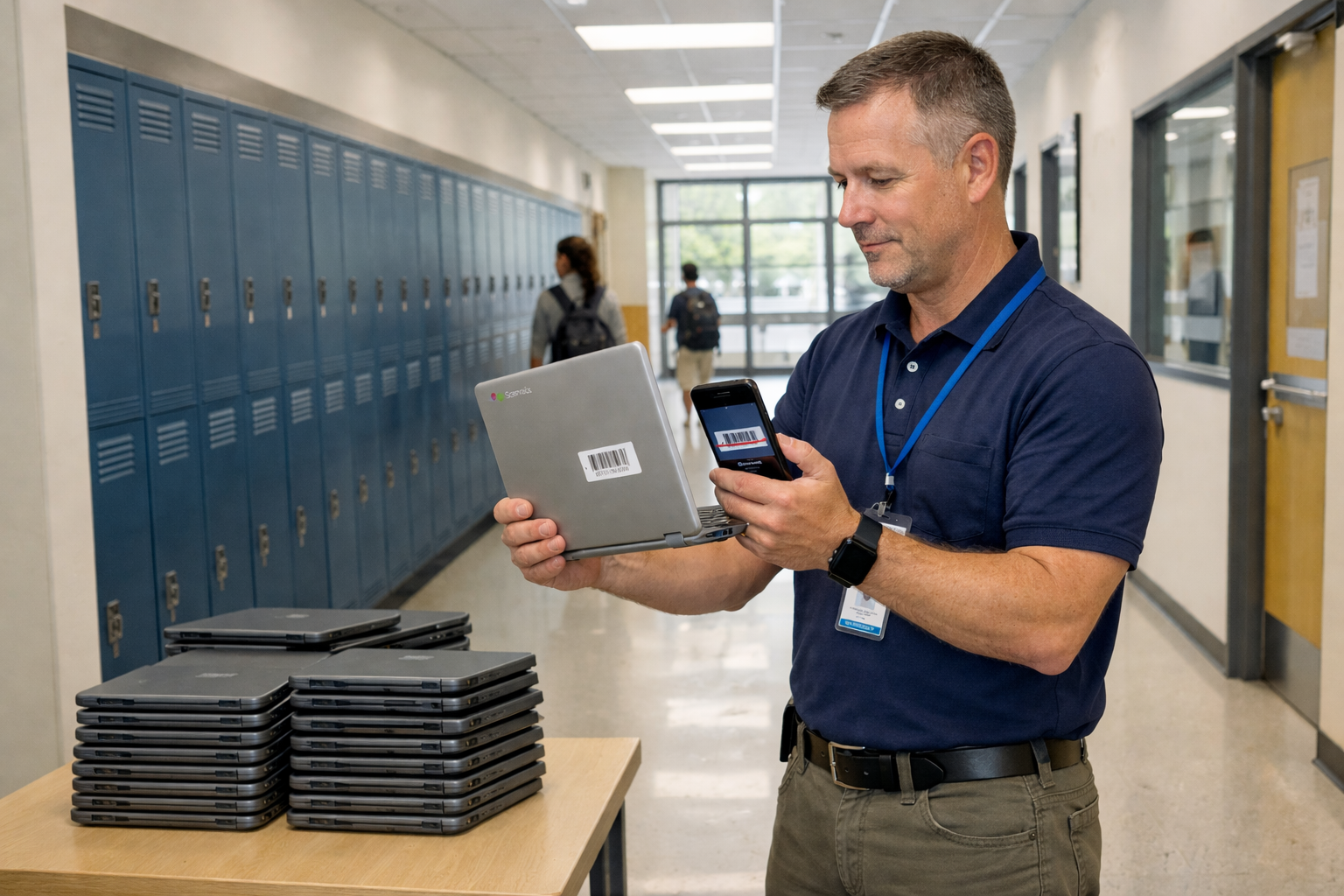
Managing a school's technology inventory shouldn't feel like solving a puzzle with missing pieces. Yet for many K-12 and higher education IT administrators, tracking hundreds or thousands of Chromebooks, iPads and laptops across multiple campuses has become an overwhelming daily reality.
Picture this: It's the first week of school and you're fielding dozens of help desk tickets about "missing" devices that were supposedly returned in June. Your spreadsheet shows 847 Chromebooks checked in, but the physical count reveals only 791. Meanwhile, the business office needs an urgent report on which devices were purchased with E-rate funds versus Title I grants and a teacher is waiting for you to find a replacement for a student whose laptop screen cracked yesterday.
The right IT Asset Management (ITAM) software can transform this chaos into clarity. Schools that implement education-specific asset tracking solutions report up to 40% reduction in device loss rates and save countless hours previously spent on manual inventory reconciliation. This guide will walk you through everything you need to know about selecting and implementing ITAM software designed specifically for the unique demands of educational environments.
Corporate IT asset management platforms are built for business environments where devices stay with employees for 3-5 years and rarely change hands. Schools operate in a completely different reality.
The corporate model assumes stability. Devices are assigned to salaried employees who work from consistent locations and have accountability built into their employment contracts. When something breaks, there's usually a clear chain of custody and professional consequences for negligence.
The education model is inherently dynamic. A single Chromebook might be assigned to Student A in fall semester, returned during winter break for repairs, temporarily issued to Student B in spring, collected in June, reimaged over summer and assigned to Student C in August. Generic ITAM tools simply weren't designed to handle this level of turnover or the concept of student-device accountability that balances responsibility with the reality that you're working with minors.
Schools also face unique financial constraints. While a corporation might budget $1,500 per employee for laptop replacement, schools typically work with devices in the $200-$400 range and must stretch budgets across hundreds or thousands of students. The cost-benefit analysis is completely different and so are the tracking requirements.
Every June brings the same nightmare scenario. Thousands of devices need to be collected from students, inventoried, assessed for damage, repaired if needed and prepared for redeployment in August. Without proper tracking systems, devices go missing in the shuffle.
Schools report that summer device collection is when 60-70% of annual losses actually occur, not during the school year. Students move, graduate or simply forget to return equipment. By the time September arrives, it's often too late to recover these assets.
Unlike corporate environments where device damage is relatively rare, schools see significantly higher incident rates. Dropped laptops, cracked screens, liquid spills and lost chargers are daily occurrences when your user base consists of children and teenagers.
The challenge isn't just fixing devices; it's tracking which students have recurring damage patterns, documenting repairs for preventative maintenance planning and having data to support conversations with parents about responsibility and potential fees.
A single school district might purchase technology using a complex mix of E-rate discounts, Title I grants, state educational technology funds, local bond measures and general operating budgets. Each funding source comes with specific reporting requirements, lifecycle expectations and disposal regulations.
Grant-funded assets require meticulous documentation. You need to prove not just what you bought and when, but that devices were used for their intended purpose, maintained properly and disposed of according to federal guidelines when they reached end-of-life.
While some schools maintain true 1-to-1 programs where each student has their own assigned device, many districts use shared carts of devices that rotate between classrooms, computer labs with devices shared by multiple grade levels or teacher laptops that need to be tracked separately from student equipment.
K-12 inventory management must accommodate both dedicated assignments and shared pools, sometimes within the same school building.
Not all asset management platforms are created equal. When evaluating solutions for your school or district, prioritize these essential capabilities:
The platform must support assigning devices to individual students with start and end dates, handling device transfers mid-year and generating reports showing current assignments by student, class, grade level or building. Look for integration capabilities with your Student Information System (SIS) to automatically sync student rosters and enrollment changes.
In a busy school library or tech office during the first week of classes, speed matters. Mobile barcode scanning allows staff to check devices in and out in seconds, update locations, document condition and verify serial numbers without manually typing information. The best systems offer dedicated mobile apps that work even when internet connectivity is spotty.
Track every repair ticket from initial student report through diagnosis, parts ordering, actual repair and return to service. Link repair history to individual students to identify patterns and to specific devices to inform replacement decisions. Calculate total cost of ownership including all repair expenses.
For districts managing assets across multiple schools, the ITAM platform must support location hierarchies, transfers between buildings and location-specific reporting. A Chromebook purchased by Elementary School A shouldn't accidentally end up recorded as inventory at Middle School B without proper transfer documentation.
Tag each asset with its funding source at time of purchase. Generate compliance reports showing how E-rate funds were spent, which devices were purchased with specific grants and ensure that E-rate funding compliance documentation is audit-ready. Track warranty information and link to original purchase orders.
Automatically calculate device age, project replacement needs based on expected lifecycles and generate reports for budgeting purposes. Track total cost of ownership including purchase price, repairs, accessories and software licenses.
When integrating student names and ID numbers with device assignment records, the platform must maintain FERPA compliance. Look for systems with role-based access controls, audit logs tracking who accessed student data and data encryption both in transit and at rest.
Every school district has unique reporting needs. The platform should offer pre-built reports for common needs (devices by student, repairs by device, inventory by location) while allowing IT staff to create custom reports without requiring SQL knowledge.
Implementing ITAM software is only effective if you build it on a foundation of accurate baseline data. Before you can track devices going forward, you need to know exactly what you have right now.
1. Physical Inventory Verification Conduct a complete physical count of all devices across all locations. Use barcode scanners to capture serial numbers and asset tags. Don't trust your existing spreadsheet; verify every single item.
2. Reconciliation Against Purchase Records Compare your physical inventory against purchasing records for the past 3-5 years. Account for every device that was bought but isn't currently found. Document items as lost, stolen, disposed of or transferred to identify gaps.
3. Assignment Status Validation For each device currently in circulation, verify its assignment status. Is it checked out to a student? Sitting in a repair queue? In a classroom cart? Ensure your records reflect reality.
4. Condition Assessment and Tagging Document the physical condition of each device. Note existing damage, missing accessories and functional issues. Apply or verify asset tags so every device has a unique, scannable identifier.
5. Data Migration and System Setup Import your verified inventory data into your new ITAM platform. Configure location hierarchies, user roles, funding sources and device categories. Train staff on proper check-out and check-in procedures.
Summer collection doesn't have to be chaotic. Schools that use dedicated ITAM systems report 95%+ collection rates compared to 70-80% for schools relying on paper forms and spreadsheets.
Start planning your collection strategy in April, not June. Send automated reminders to students and families using data from your ITAM system showing exactly which device is assigned to which student. Include device serial numbers and asset tag information so there's no confusion.
Set up collection stations in high-traffic areas during the final weeks of school. Use mobile scanning apps to check devices in, document their condition and immediately update your inventory system. This real-time tracking prevents the "black hole" effect where devices are collected but not properly recorded.
For unreturned devices, your ITAM system should generate a definitive list of outstanding assignments with student contact information. Follow up systematically through email, phone calls and if necessary, holds on report cards or enrollment for the following year.
Once devices are collected, use your ITAM system to route devices through appropriate workflows. Damaged devices go to the repair queue with tracking numbers. Functional devices get cleaned, reimaged and marked as ready for redeployment. Devices approaching end-of-life get flagged for replacement.
Generate pre-deployment reports showing how many devices you'll have available by grade level, which new students need assignments and whether you have sufficient inventory to meet demand. This planning prevents the first-week-of-school scramble.
Device damage isn't just an IT problem; it's a teaching opportunity. When you track repair history systematically, patterns emerge that inform both individual student conversations and district-wide policies.
When a student reports their third cracked screen in a single school year, your ITAM system should immediately surface this pattern. You can generate a report showing the complete history of devices assigned to that student, all repair incidents and total costs incurred.
This data supports productive conversations with students and parents about responsible device use. Rather than accusatory, these discussions become educational moments backed by objective information. Many schools implement escalating fee structures for repeated damage and proper documentation is essential for consistency and fairness.
Aggregate repair data reveals larger trends. If cracked screens spike during basketball season, maybe devices aren't being properly stored during gym class. If charger replacements increase in the winter, perhaps students are leaving them in cold cars.
Use this intelligence to target preventative maintenance education campaigns, adjust device policies or invest in protective equipment for high-risk situations.
Tracking repairs by device model helps identify manufacturing defects and quality issues. If a particular Chromebook model consistently fails within the first year, that's valuable information for future purchasing decisions. It also helps you leverage warranty claims more effectively when you can demonstrate systematic issues.
Federal and state educational technology funding comes with strings attached. E-rate funding compliance requires documentation that many generic asset tracking tools simply can't provide.
The E-rate program provides discounts on telecommunications and internet access for schools and libraries and sometimes covers the equipment needed to deliver these services. Recipients must maintain detailed records showing that discounted equipment is used for educational purposes and properly maintained throughout its useful life.
Your ITAM platform should tag E-rate funded assets at purchase, track their deployment to eligible locations, document any transfers or changes in use and generate the retention records required by program rules. Schools must retain these records for at least ten years after the last date of service.
Title I funds and other federal education grants have specific allowable uses and reporting requirements. Schools must demonstrate that technology purchased with these funds serves the intended student populations and educational purposes.
Proper asset tagging by funding source enables compliance reporting without manual spreadsheet work. When audit season arrives, you can instantly generate reports showing every device purchased with a specific grant, where those devices are currently located and how they're being used.
When technology reaches end-of-life, schools can't simply throw it away. E-waste regulations govern electronic disposal and federally funded equipment may have specific disposal requirements. Some grants require that surplus equipment be offered to other educational institutions before being sold or recycled.
Your ITAM system should track disposal dates, methods and documentation for every retired device, creating an audit trail that satisfies both environmental regulations and funding agency requirements.
| Feature | Spreadsheets | School-Specific ITAM Software |
|---|---|---|
| Student Assignment Tracking | Manual entry required; errors common; difficult to track transfer history | Automated check-out/check-in with complete history; integration with student information systems |
| Repair Management | Separate tracking system or paper forms; no connection to device history | Integrated repair workflow; links all repairs to specific devices and students; calculates total cost of ownership |
| Funding Visibility | Manual tagging in columns; generating compliance reports requires hours of filtering and validation | Automatic funding source tagging; one-click compliance reports ready for audits; tracks grants across multiple years |
| Scalability | Breaks down beyond 500-1,000 assets; multiple people editing causes version conflicts and data loss | Handles tens of thousands of assets; concurrent users; role-based permissions prevent conflicts |
| Summer Collection | Requires printing lists, manual check-off and re-entry of data; collection rates of 70-80% typical | Mobile scanning apps; automated student reminders; real-time tracking; collection rates above 95% |
| Multi-Location Support | Separate spreadsheets per building create silos; transferring devices between locations requires manual updates | Central database with location hierarchies; seamless transfers; district-wide visibility |
| Historical Data | Difficult to maintain long-term records; files get lost or corrupted; no audit trail of changes | Complete lifecycle history for every asset; audit logs; archived records accessible indefinitely |
| Barcode Scanning | Not possible; all data entry is manual typing with high error rates | Native barcode/QR code support with mobile apps; fast, accurate data capture |
The cost of a school-specific ITAM platform typically ranges from $1-3 per device per year for K-12 schools. When you factor in staff time saved, reduced loss rates and improved compliance, the ROI usually appears within the first year.
According to recent data from the Consortium for School Networking (CoSN), schools participating in 1-to-1 device programs experience an average annual loss rate of 5-8% when relying on manual tracking methods. For a district with 5,000 devices at $300 each, that represents up to $120,000 in annual losses. Proper ITAM software can reduce this loss rate to 2-3%, saving $45,000-$90,000 annually.
Moving from spreadsheet-based tracking to a proper ITAM platform feels daunting, but schools that have made the transition consistently report that they wish they'd done it sooner.
Rather than attempting a district-wide rollout on day one, begin with a single school or grade level. This approach allows your IT team to learn the system, identify workflow improvements and build confidence before scaling up.
Choose a pilot location that's representative of your district's challenges but has a manageable device count. A middle school with 500 devices in a 1-to-1 program is often ideal.
The quality of your ITAM implementation depends entirely on the quality of your initial data. Resist the temptation to simply import your existing spreadsheet with all its errors, duplicates and missing information.
Conduct a physical audit first. Verify serial numbers, confirm locations, validate assignments and document condition. This upfront investment pays dividends in system accuracy from day one.
The best ITAM software in the world fails if staff don't know how to use it properly. Invest in comprehensive training for everyone who will interact with the system: IT technicians, library media specialists, front office staff and school administrators.
Create role-specific training that shows each group exactly how the system supports their daily work. The librarian doesn't need to understand repair workflows, but must master check-out procedures. The tech coordinator needs deep repair tracking knowledge but might never check out a device to a student.
Technology alone doesn't solve organizational challenges. Successful schools document clear procedures for device check-out, damage reporting, repair requests, summer collection and student accountability.
Build these policies collaboratively with input from teachers, administrators and IT staff. Then communicate them clearly to students and families so everyone understands expectations.
After launch, regularly review system usage and outcomes. Are staff consistently updating device locations? Is repair data being captured completely? Are collection rates improving?
Use the reporting features of your ITAM platform to identify gaps and refine processes. Most schools find that it takes 2-3 complete school year cycles to fully optimize their asset management workflows.
Yes, most school-specific ITAM platforms include software asset management capabilities. You can track licenses for productivity software, educational applications and operating systems alongside your hardware inventory. This helps ensure compliance with software agreements and prevents over-deployment of limited licenses. Some systems integrate directly with Mobile Device Management (MDM) platforms to automatically track installed software.
When a student reports a device as lost, document the report in your ITAM system with the date and circumstances. Mark the device status as "lost" while maintaining the student assignment. This creates a record for both accountability and insurance purposes.
Follow your district's policy for replacement timelines. Some schools immediately issue a replacement while investigating the loss; others require that a certain period pass or that a police report be filed for theft claims. If the original device is later found, your system should show it was reported lost, helping prevent false claims.
For end-of-year scenarios where students haven't returned devices, your ITAM system should flag these as unreturned rather than lost until you've exhausted recovery attempts.
Barcode or QR code scanning is transformative in high-volume environments like school libraries and tech offices. During back-to-school distribution, a librarian with a mobile scanner can check out 50-100 devices per hour compared to 15-20 per hour with manual data entry.
Scanning virtually eliminates data entry errors. When you type serial numbers manually, transposition errors and typos corrupt your database. Scanning captures accurate data every time.
Modern ITAM platforms offer mobile scanning apps that work on smartphones and tablets, eliminating the need for expensive dedicated barcode scanners. Your library staff can use devices they already carry.
Absolutely and this is why FERPA compliance must be a primary consideration when selecting ITAM software. The Family Educational Rights and Privacy Act protects student education records and device assignment information falls under this protection.
Choose platforms that implement proper security controls: role-based access limiting who can see student names, audit logs tracking all access to student data, data encryption protecting information in transit and at rest and the ability to anonymize or export data without personally identifiable information for general reporting purposes.
Train staff on privacy obligations and establish policies about who can access device assignment data and under what circumstances.
For devices purchased with federal funds, particularly E-rate supported equipment, schools must retain records for at least ten years after the last date of service. For other funding sources, check specific grant requirements.
Beyond compliance needs, maintaining long-term asset records provides valuable historical data for budgeting and planning. Knowing actual device lifespans, repair patterns and total cost of ownership across multiple technology refresh cycles informs better purchasing decisions.
Modern cloud-based ITAM platforms store historical data indefinitely without physical storage concerns, so there's little downside to retention beyond compliance minimums.
School-specific ITAM platforms support both dedicated 1-to-1 assignments and shared device pools. For shared devices, you can assign equipment to a location (like "Science Lab Cart #3" or "Room 215 Student Devices") rather than to individual students.
Some systems support temporary check-out from shared pools, creating short-term assignments when Student A borrows a device from the library cart for the period, then checking it back in for Student B to use next period. This maintains an audit trail while acknowledging the reality of shared resource environments.
Higher education asset management often requires even more flexible assignment models, as college students may check out equipment for a semester, academic year or just a few hours for a specific project.
Most modern ITAM platforms offer integration capabilities with major Student Information Systems like PowerSchool, Infinite Campus, Skyward and others. These integrations automatically sync student rosters, enrollment changes and graduation dates.
When a new student enrolls, they automatically appear in your ITAM system ready for device assignment. When a student transfers to another school in your district, the integration can automatically update device location to follow them. When students graduate or withdraw, the system can flag their assigned devices for collection.
Integration eliminates duplicate data entry and ensures your device assignment data stays current with minimal manual intervention.
Managing technology in educational environments presents unique challenges that generic corporate solutions can't address. The constant turnover of students, limited budgets, complex funding requirements and sheer scale of 1-to-1 device programs demand purpose-built tools.
School-specific IT Asset Management software transforms chaos into clarity. It reduces device loss rates, saves countless staff hours on manual inventory work, ensures funding compliance and provides the data needed to make informed technology decisions.
The investment in proper ITAM software pays for itself through reduced losses, improved staff efficiency and better asset utilization. More importantly, it allows IT administrators to shift from constantly firefighting inventory crises to proactively planning and supporting educational technology initiatives that improve student learning.
If your school or district is still relying on spreadsheets and paper forms, now is the time to make the transition. Start with a thorough audit, choose a platform designed for education and implement it systematically. Your future self and your stressed IT team, will thank you.
See how Zecurit helps K-12 districts track 1-to-1 devices, reduce losses by 40%, and stay compliant with E-rate requirements, without the spreadsheet headaches.