
Unattended Remote Access
That Works While You Sleep

Connect to any device, any time, no end user required.
Patch servers at 2 AM, troubleshoot a remote workstation, or push software updates across a thousand endpoints without anyone
needing to "let you in."

Excellent

4.9/5

The IT Reality

What is Unattended Remote Access?

Traditional remote support requires someone at the other end to accept a connection request. That works fine during business hours, but IT doesn't operate on a 9-to-5 schedule.

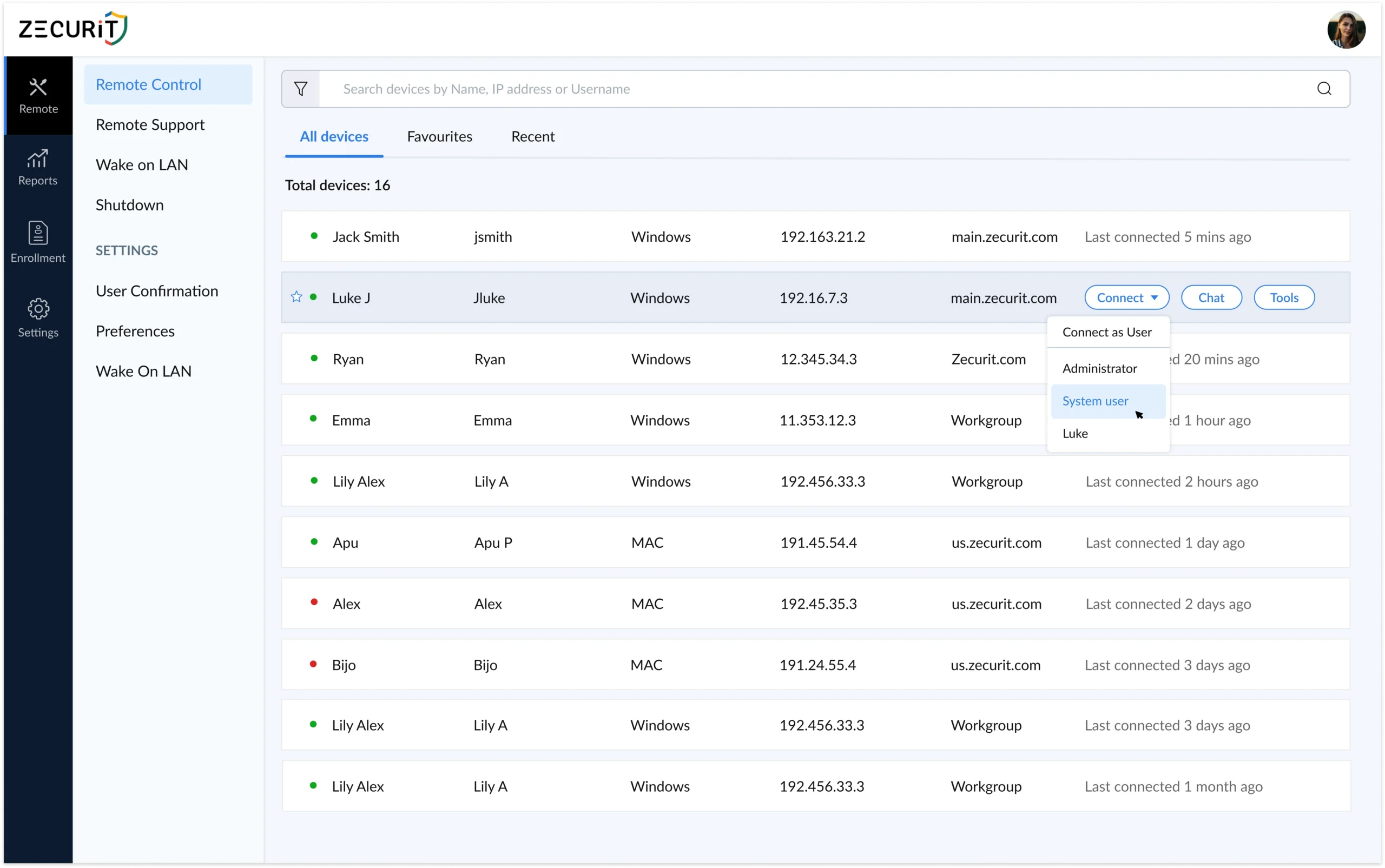
Unattended remote access means you install a lightweight agent on the target device once. From that point forward, your team can connect instantly, any time, day or night, without prompting the device owner for permission.

No more scheduling maintenance windows around end-user availability. No more waking up a client to patch a critical vulnerability. No more delayed incident response because nobody is in the office.

"The average IT team loses 22 hours per month to scheduling delays alone. Unattended access eliminates that friction at the source, not with process, but with technology."

65 %

Faster average ticket resolution with unattended remote support

24/ 5

Device availability, maintenance on your schedule, not theirs

1 x

Install the agent once, connect forever, no re-authorizations

1000 s

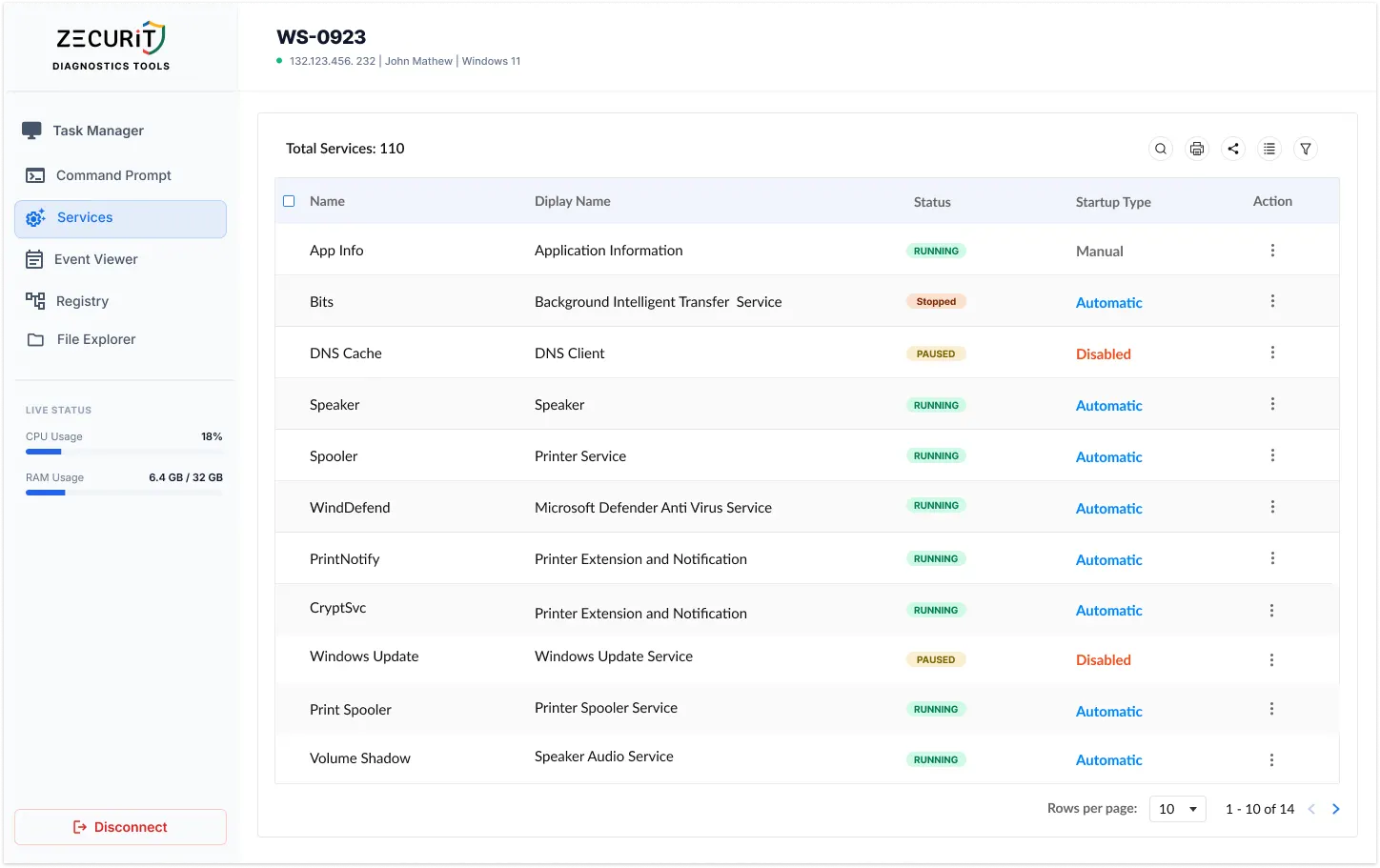
Manage thousands of endpoints from a single management console

Key Benefits

Why IT Teams Choose Zecurit for Unattended Access

Designed for speed, scale, and the real-world demands of modern IT infrastructure.

24/7 Device Availability

Connect to any endpoint at any hour. Servers, workstations, and laptops are always reachable, regardless of location or time zone.

One-Time Setup, Permanent Access

Deploy Zecurit's lightweight agent once, via manual install, silent deployment, or GPO. After that, the device is permanently accessible without any further user interaction.

Full Remote Desktop Control

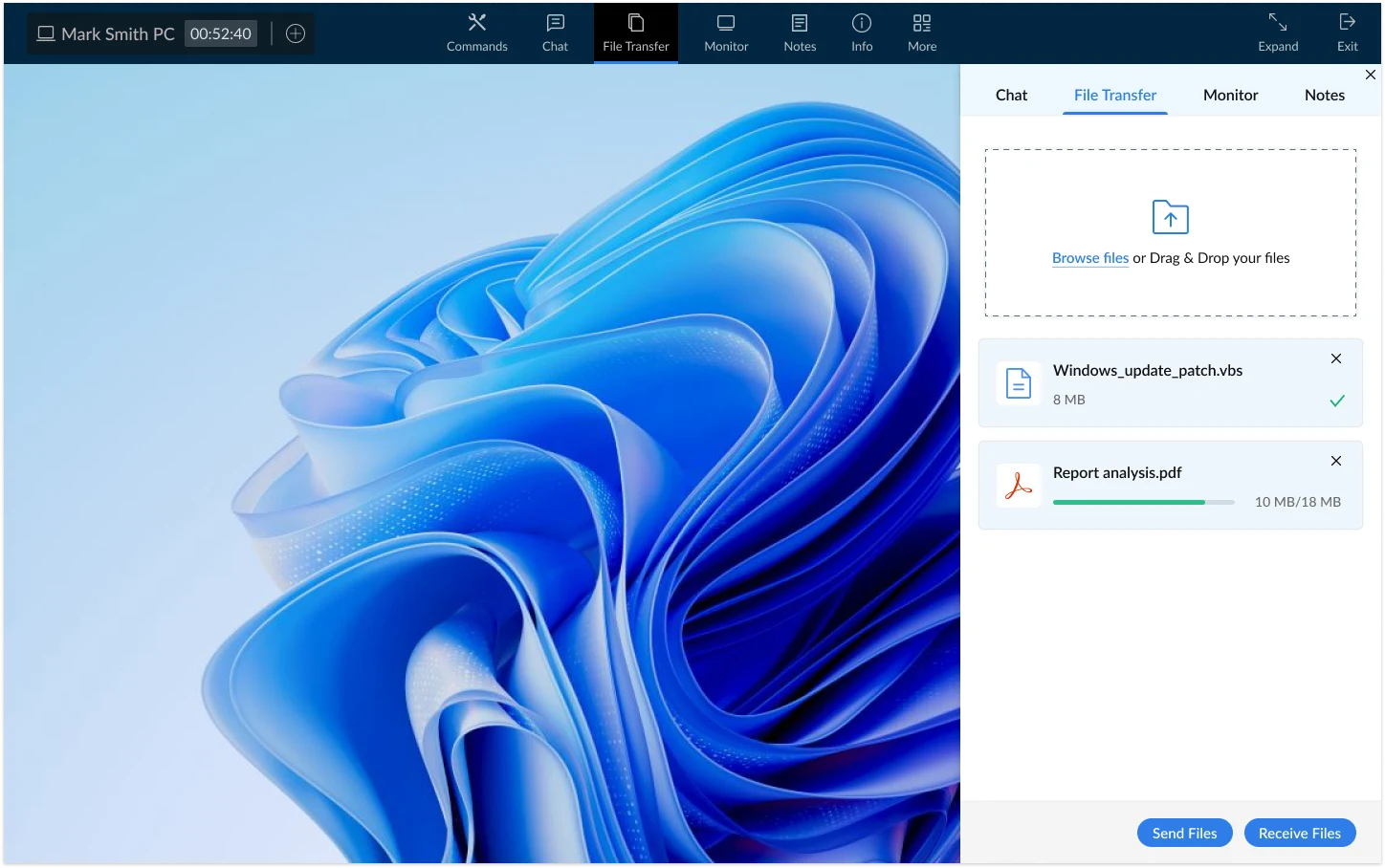
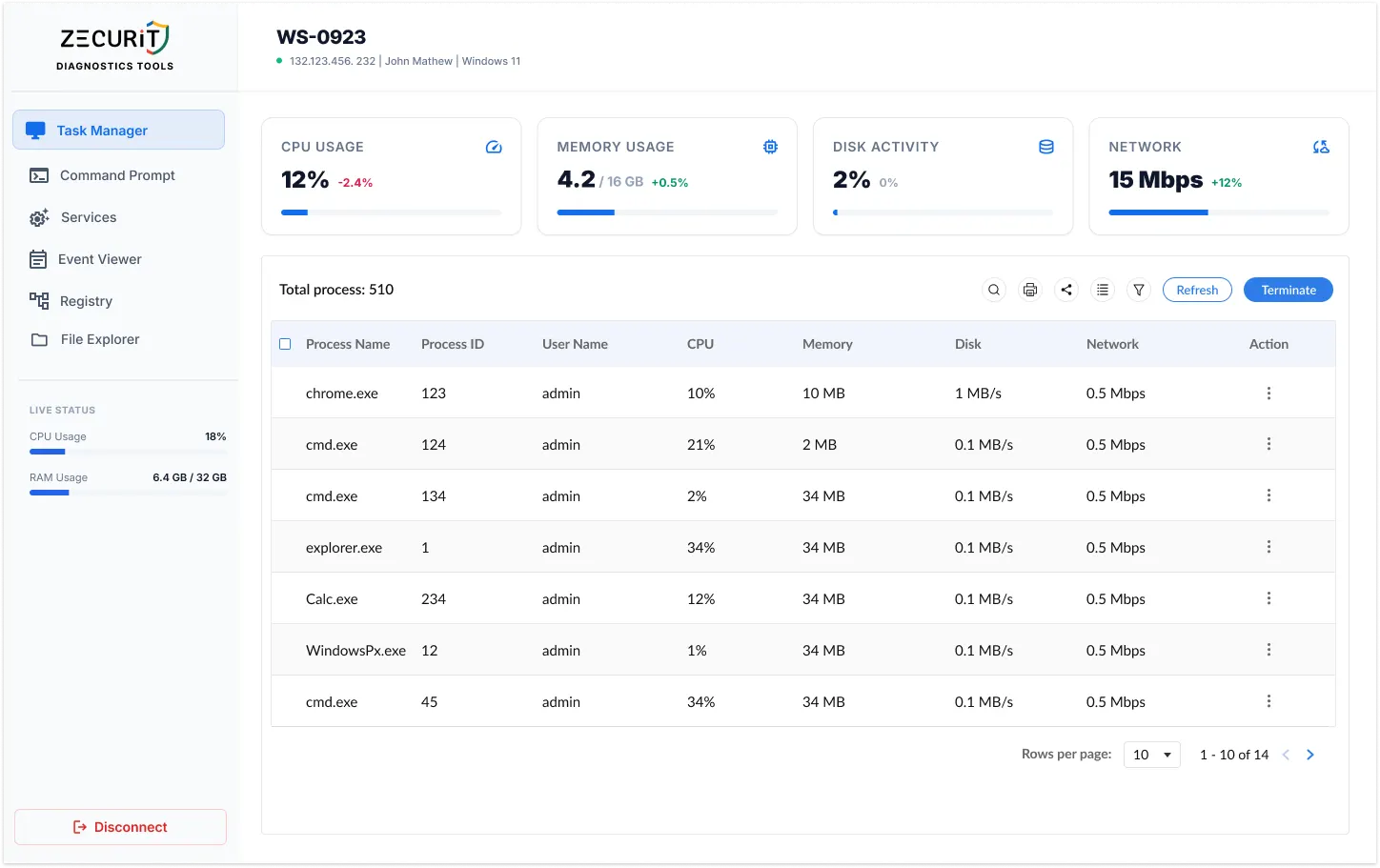
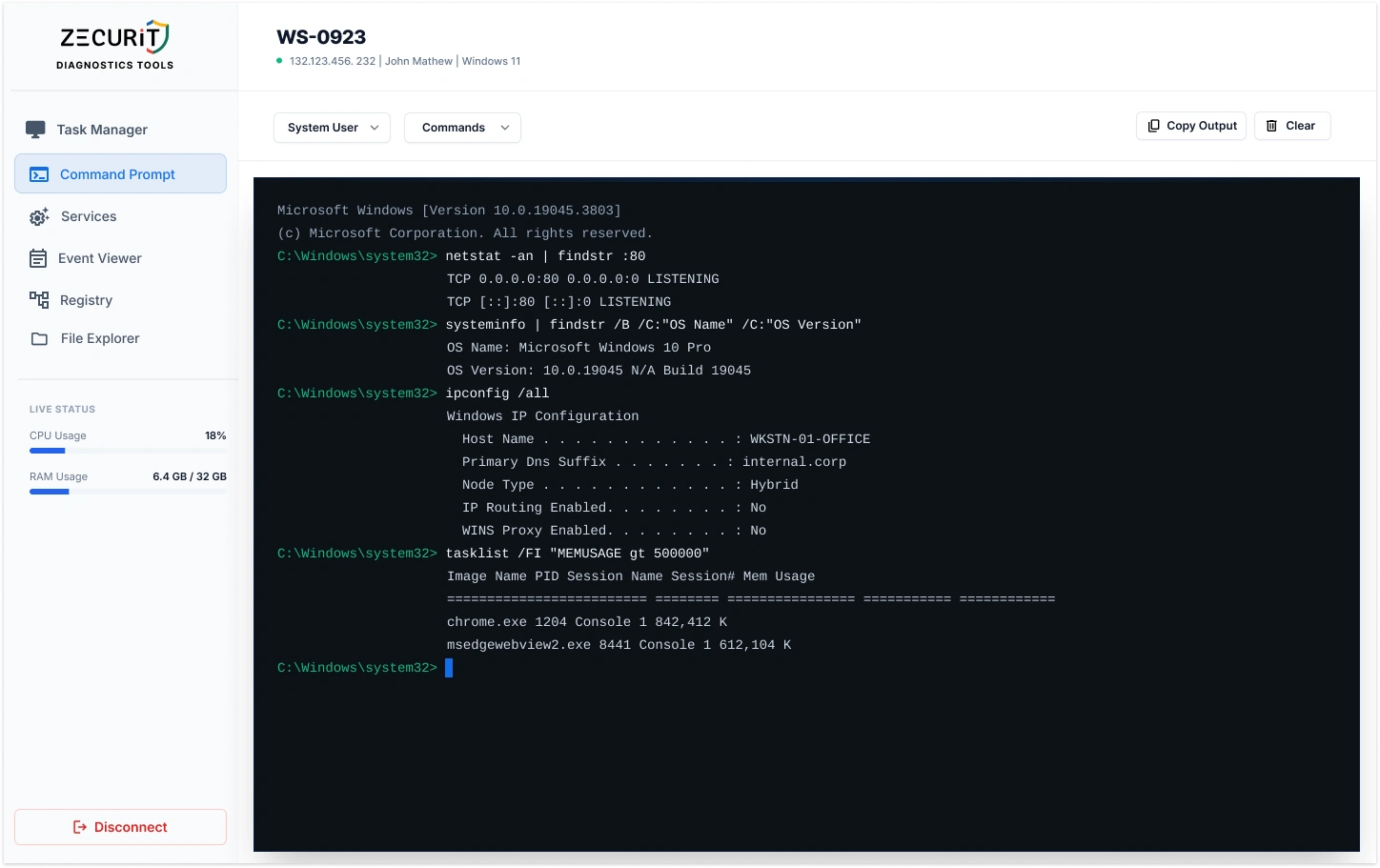
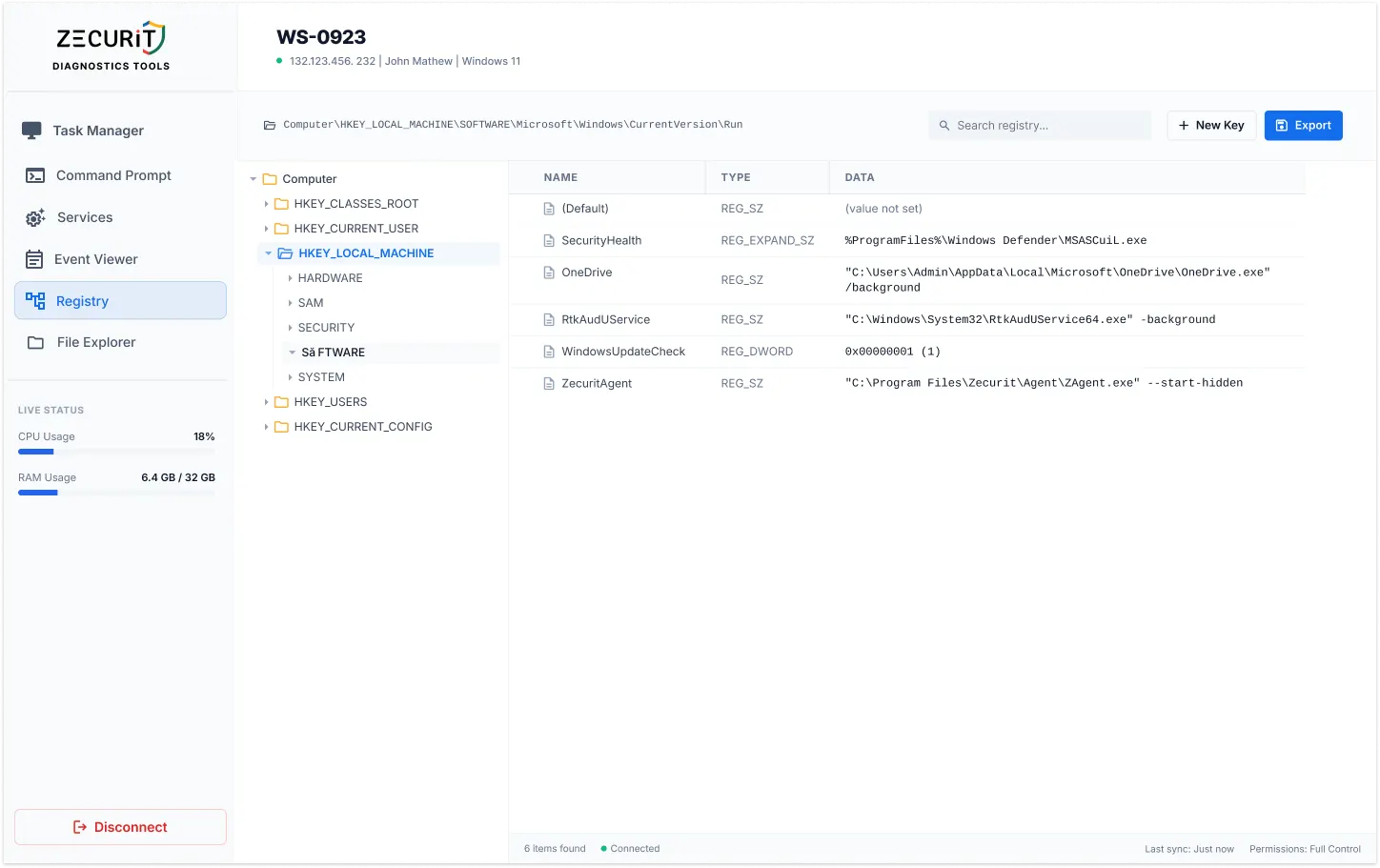
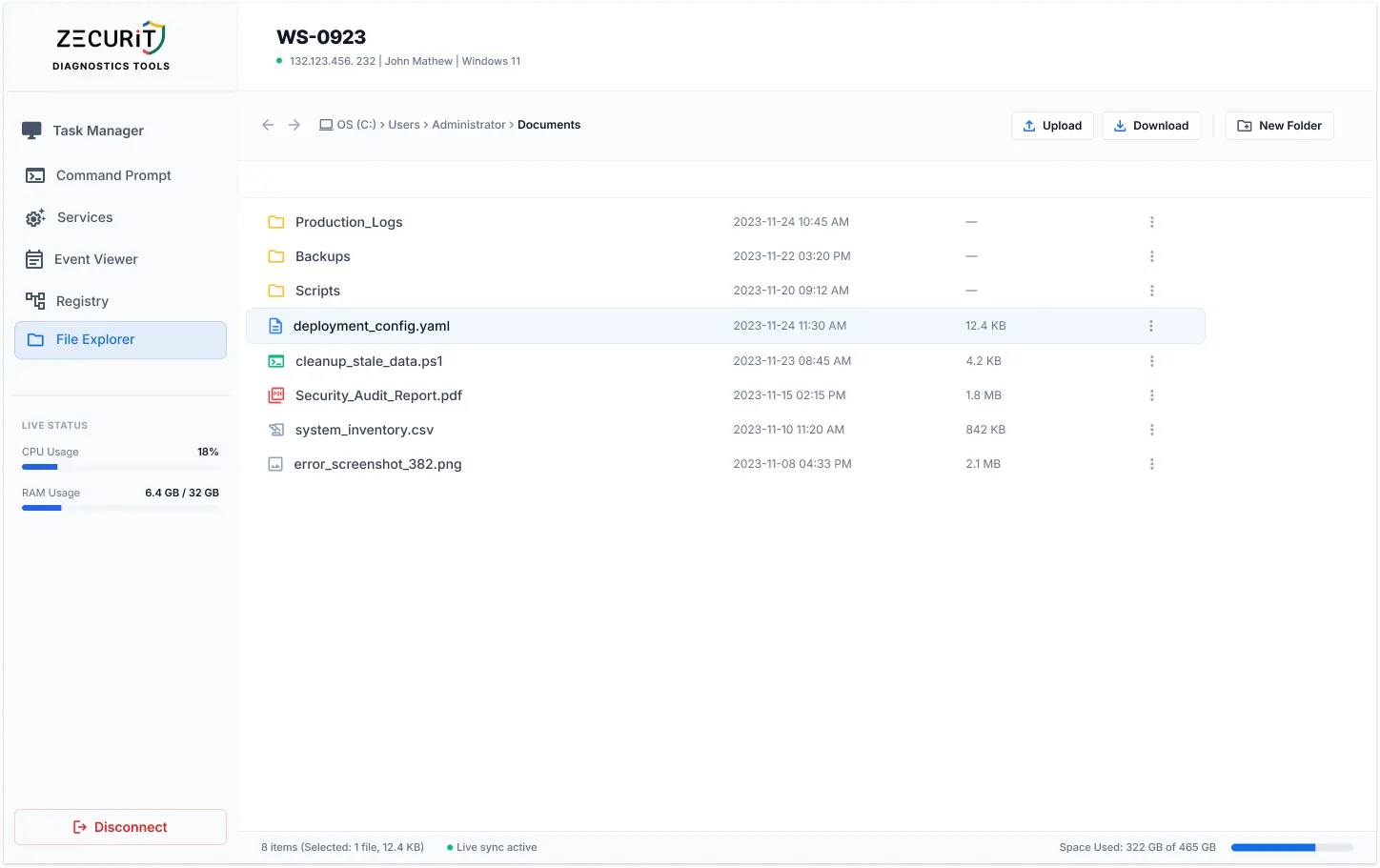
See and control the full remote desktop environment. Transfer files, run commands, manage processes, and reboot systems, all from a single interface.

Scale Across Thousands of Endpoints

Whether you manage 10 or 10,000 devices, Zecurit's unattended remote support infrastructure grows with you. No performance penalty at scale.

Full Session Audit Trails

Every unattended session is logged with timestamps, actions taken, and technician identity. Compliance-ready out of the box.

Reduce Operational Costs

Eliminate costly on-site visits. One technician can now support many more endpoints without additional headcount or travel expenses.

Security & Compliance

Built for Organizations That Can't Afford Breaches

Unattended access without enterprise-grade security is just an open door. Zecurit closes it.

feature-icon
End-to-End Encryption (TLS/AES-256)

All remote sessions are encrypted in transit using TLS with AES-256. No unencrypted traffic ever leaves the endpoint. Your sessions are unreadable to anyone intercepting the connection.

feature-icon
Session History & Audit Logs

Every unattended remote support session is automatically logged: who connected, when, what actions were taken, and for how long. Immutable audit trails support compliance audits and internal investigations.

feature-icon
Role-Based Access Control (RBAC)

Grant technicians access only to the devices they need. Junior support staff connect to tier-1 endpoints. Senior admins access servers. No over-provisioning, no lateral movement risk.

feature-icon
Session Confirmation Mode

For devices where user consent is required, enable Session Confirmation. The end user must approve the connection before any unattended access begins, keeping you compliant with privacy policies.

How It Works

From Zero to Unattended Access in Minutes

No complex infrastructure. No open firewall ports. Just a lightweight agent and immediate access.

Create Your Account

Sign up for Zecurit in under two minutes. No credit card required for the free trial. Your management console is ready immediately.

Deploy the Agent

Install Zecurit's lightweight agent on target devices, manually, silently, or in bulk via GPO, Intune, SCCM, or Azure AD. Takes under 90 seconds per device.

Devices Appear in Console

Once the agent is installed, devices register automatically. You'll see all endpoints in your centralized console , online status, OS type, last seen, and more.

Connect Anytime, Instantly

Click any device to initiate an unattended remote desktop session. No user prompt. No waiting. Full control of the remote machine in seconds.

Use Case

Unattended vs. Attended Remote Support

Both modes have a place in your IT toolkit. Here's when to use each and why Zecurit handles both.

Factor
Unattended Remote Access
Attended Remote Support
User Presence Required
No, connect any time
Yes, user must be present
Best For
Servers, maintenance, patching, after-hours IT
Helpdesk support, guided troubleshooting, user training
Setup Requirement
One-time agent install
Session invite sent each time
Time Zone Dependency
None — access at any hour
Must align with end-user availability
Scalability
Manage thousands simultaneously
Limited by active user count
Maintenance Windows
Fully compatible, schedule freely
Requires user coordination
Ideal Users
IT Managers, SysAdmins, MSPs
Helpdesk staff, Tier-1 support
Zecurit Support
Fully supported
Fully supported

Zecurit supports both modes from a single platform. Switch between unattended access and
attended remote support sessions in one click, no separate tools required.

FAQ

Frequently asked questions:

  • What is unattended remote access software and how is it different from standard remote desktop?

    Unattended remote access software lets IT teams connect to a device without requiring anyone to be present on the remote end. A lightweight agent is installed once, and from that point the device is always accessible. Standard remote desktop sessions — such as a basic Windows Remote Desktop connection — typically require someone to be logged in or to approve the connection. Unattended access removes that dependency entirely, making it essential for server administration, after-hours maintenance, and managing distributed endpoints across time zones.

  • Is unattended remote access safe? How does Zecurit protect against unauthorized access?

    Unattended remote access is safe when implemented correctly. Zecurit protects every session with AES-256 end-to-end encryption, mandatory MFA for all technician accounts, and role-based access controls that limit who can connect to which devices. No inbound firewall ports are opened on client machines, all traffic routes through Zecurit's secured cloud relay. Every session is logged with a full audit trail. For organizations that require user consent, Session Confirmation mode can be enabled to prompt end users before access begins.

Stop Waiting for Users to Let You In

Deploy Zecurit once. Access any device from anywhere, the moment you need it. No scheduling. No callbacks. No delays.