
Essential Windows admin tools for IT teams and system administrators. Manage and troubleshoot endpoints across your network from a single, lightweight console.
Windows installer • No registration • No expiry • No credit card


Native Windows utilities are scattered, limited to local machines, or buried inside expensive enterprise platforms. Zecurit Admin Toolkit brings the most-used IT admin tasks into one console.
No trial periods, no feature paywalls, no credit card required.
Connects using native Windows remote administration protocols within your local network.
~15 MB installer, minimal RAM footprint, no heavy dependencies.
Works across both Active Directory domains and standalone workgroup environments.
Trusted by IT teams managing thousands of endpoints.
A simple UI designed for IT admins who want to get things done fast, without a learning curve.
Everything you need to troubleshoot, monitor, and manage Windows endpoints remotely without a full UEM platform.
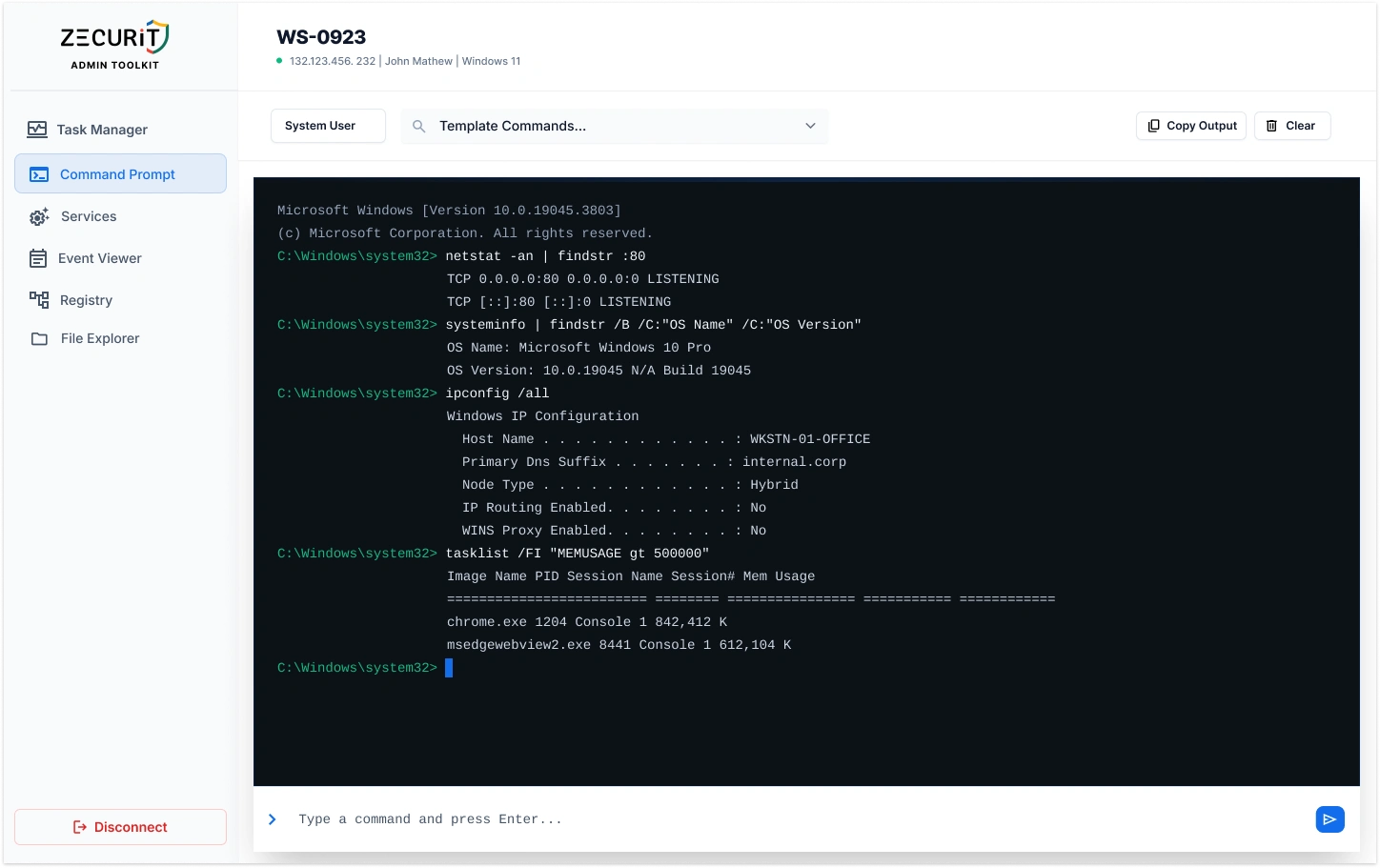
Open a command prompt session on any remote Windows machine and execute commands without a full remote desktop session. Ideal for quick fixes, script execution, and remote diagnostics.
| Process | CPU | Memory | Status |
|---|---|---|---|
| chrome.exe |
72%
|
480 MB | Running |
| explorer.exe |
8%
|
82 MB | Running |
| svchost.exe |
3%
|
44 MB | Running |
| msedge.exe |
91%
|
620 MB | Running |
| winlogon.exe |
1%
|
12 MB | Running |
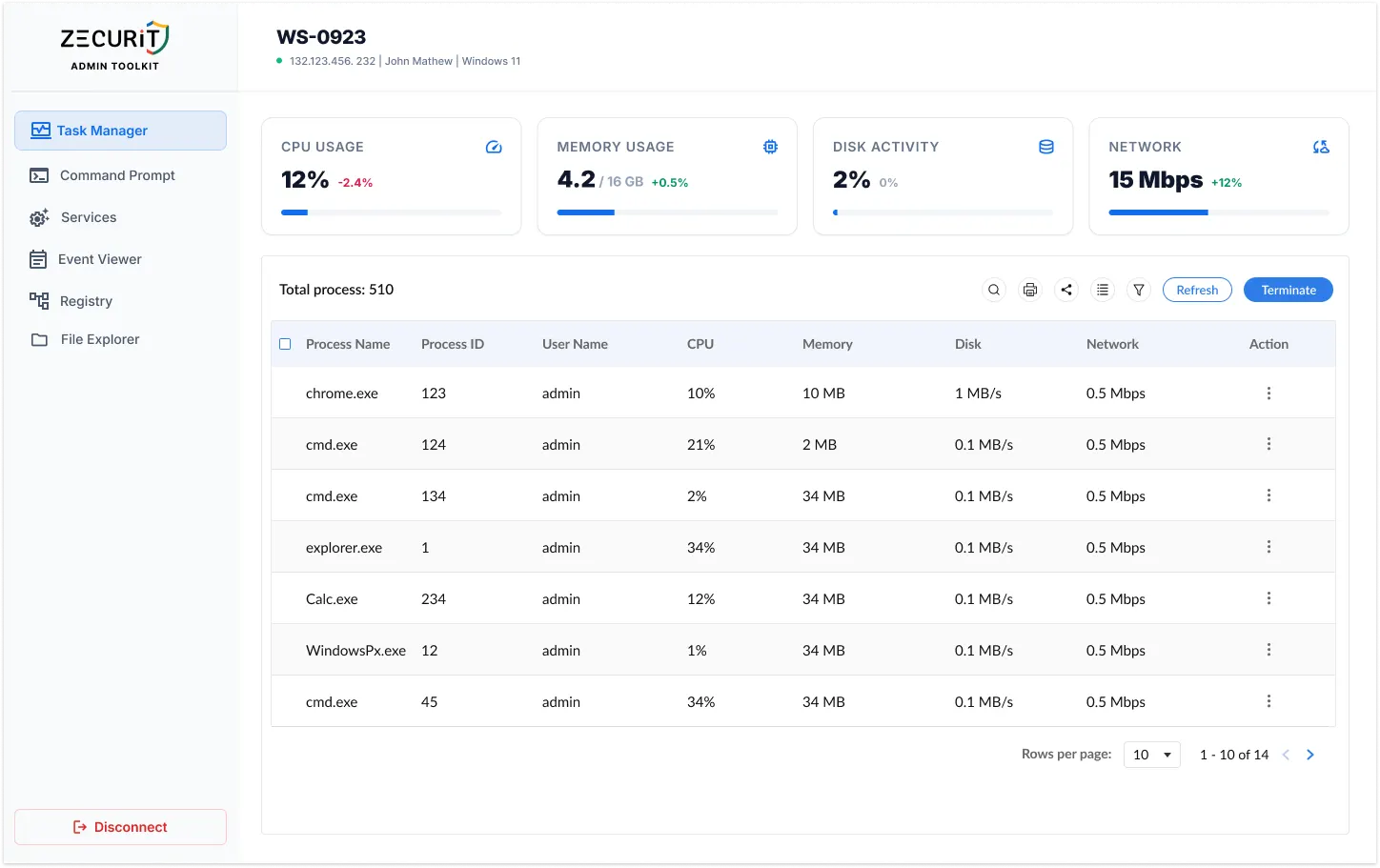
Get a real-time view of all running processes on any remote Windows machine. Identify resource-heavy processes and resolve performance issues without logging in remotely.
| Application | Version | Publisher | Installed |
|---|---|---|---|
| Google Chrome | 124.0.6367 | Google LLC | 12 Apr 2025 |
| Microsoft Office 365 | 16.0.17328 | Microsoft | 03 Jan 2025 |
| 7-Zip | 23.01 | Igor Pavlov | 15 Nov 2024 |
| Zoom | 6.1.0.41200 | Zoom Video | 22 Mar 2025 |
| VLC Media Player | 3.0.21 | VideoLAN | 08 Feb 2025 |
Pull a complete list of installed software from any remote Windows machine in seconds. Know exactly what is installed, identify unlicensed applications, and prepare for audits.
| Service Name | Startup | Status |
|---|---|---|
| Windows Update | Automatic | Running |
| Print Spooler | Automatic | Stopped |
| Windows Firewall | Automatic | Running |
| Remote Registry | Manual | Stopped |
| Windows Search | Automatic | Paused |
| Task Scheduler | Automatic | Running |
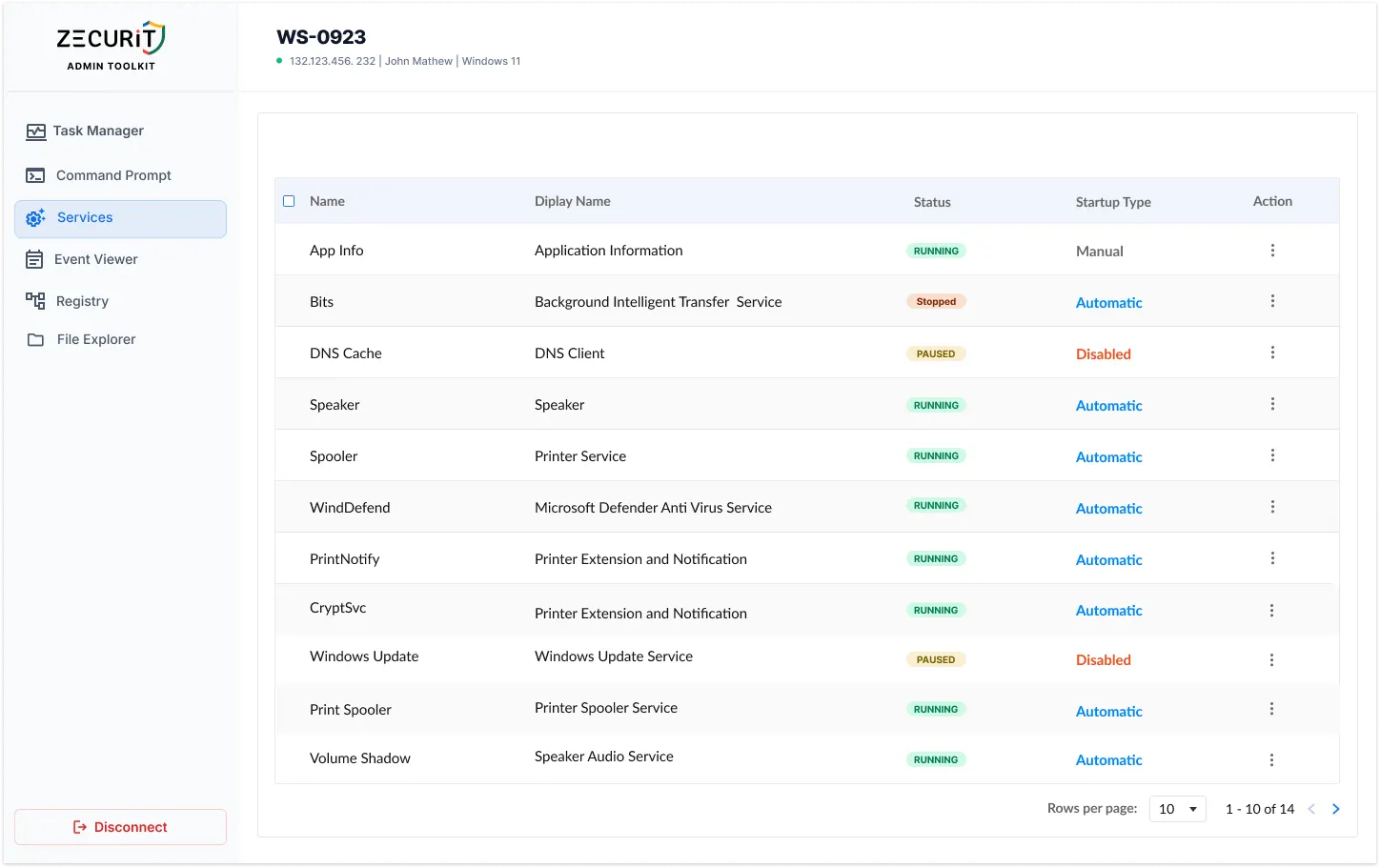
View and manage Windows services on remote machines without logging in. Start, stop, pause, or restart services instantly to reduce resolution time for service-related incidents.
Zecurit Admin Toolkit covers the most frequent day-to-day Windows administration tasks IT teams perform manually.
View and terminate processes on remote machines without a remote desktop session.
Start, stop, and restart services on endpoints across your network instantly.
Run commands and scripts on remote Windows machines directly from your console.
Fetch installed application lists from any endpoint for licence compliance and audit readiness.
Diagnose performance, service, and software issues remotely without end-user disruption.
Manage workstations and servers across domains and workgroups from a single lightweight tool.
Get started in minutes. Download the toolkit, install on any Windows machine with network access & begin managing your endpoints right away.
Windows installer • No registration • No expiry • No catch.
Zecurit Admin Toolkit is the lightweight companion to Zecurit Endpoint Manager, our full UEM and RMM platform for IT teams and MSPs.
Gain full visibility into hardware and software assets across your organization.
Remotely deploy and manage applications across devices with ease.
Automate patch scanning and deployment to keep endpoints secure and compliant.
Securely access devices, troubleshoot issues, and support users from anywhere.
Enforce IT policies and maintain standardized configurations across endpoints.
Generate endpoint reports and audit trails to monitor compliance and activity.
Yes. All four tools are free with no usage limits, no trial periods, and no credit card required.
No. The toolkit uses native Windows remote administration protocols (WMI and WinRM) to connect to remote machines within your local network. Administrator credentials are required on target endpoints.
No. All operations occur entirely within your local network. No data is transmitted to Zecurit servers. The toolkit works fully offline once installed.
Zecurit Admin Toolkit supports Windows 10, Windows 11, and Windows Server 2016 and above on both the host machine and target endpoints.
Both are supported. The toolkit works in Active Directory domain environments as well as standalone workgroup setups.
The Admin Toolkit is a free, lightweight set of individual tools for manual, per-machine tasks. Zecurit Endpoint Manager is a full UEM and RMM platform with automation, policy enforcement, patch management, vulnerability management, and centralised reporting for teams managing endpoints at scale.
No. All operations run entirely within your local network. No endpoint data is transmitted externally.