
Manage, secure, and automate every Linux endpoint in your fleet, desktops, laptops, servers, and virtual machines, from one lightweight agent and one console.
Linux adoption inside businesses keeps growing, from developer workstations to government and public sector rollouts to security-conscious teams standardizing on hardened distributions. But Linux endpoint management tooling has lagged behind what's available for Windows and Mac.
Without a proper Linux MDM in place, IT teams are stuck with:
Zecurit Endpoint Manager closes that gap directly, with the same core capabilities IT teams already rely on for Windows and Mac.
Everything you need to maintain secure, compliant, and up-to-date endpoints across your organization.
Get a live, accurate inventory of every Linux device in your environment. Zecurit automatically collects hardware specifications, installed packages, kernel and OS version, disk usage, and system health data, with no manual scripting required.
Use inventory data to:

Push software to one Linux device, a group of machines, or your entire Linux fleet from a single console. Zecurit's software deployment engine lets IT teams standardize the software stack across distributions, without logging into each machine individually.
This covers real IT workflows:
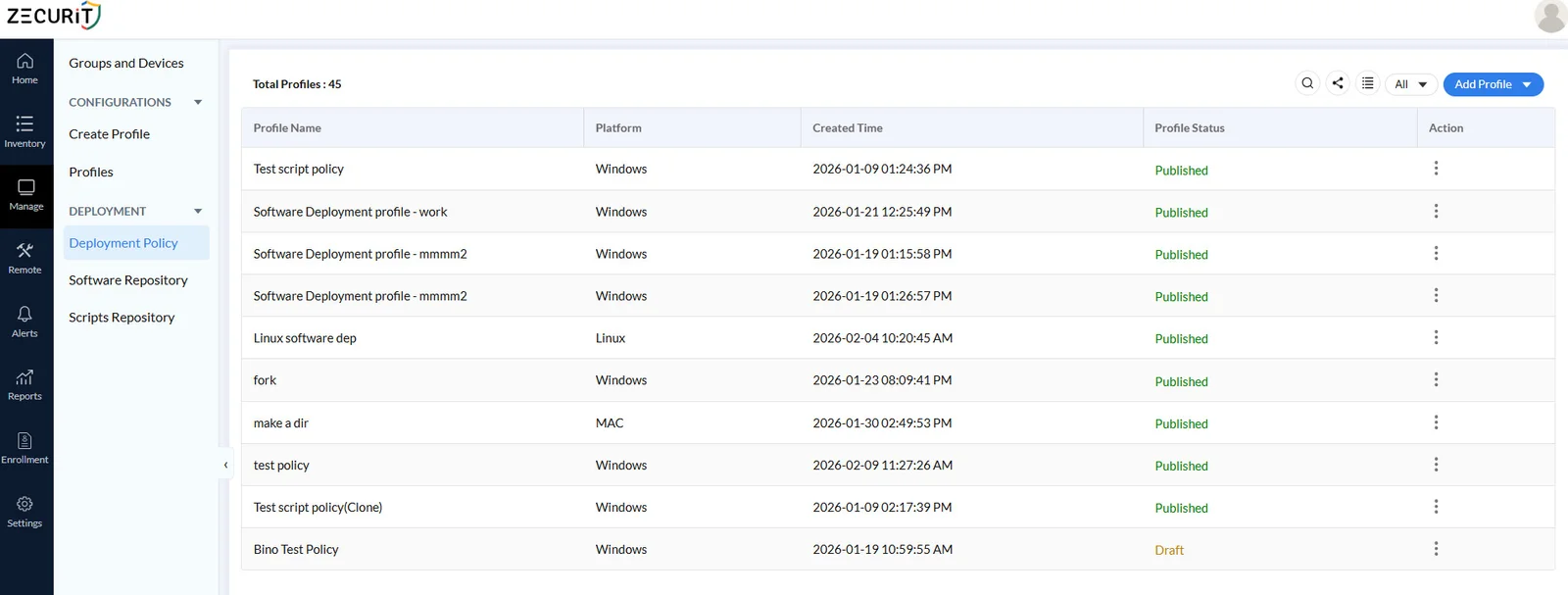
Run shell scripts remotely across your Linux fleet for configuration changes, maintenance tasks, patching, or troubleshooting, without needing physical or SSH access to each box individually. Script deployment gives IT admins the same automation and consistency on Linux that they expect on Windows.
Common use cases include:
Connect to any Linux device in your fleet whenever you need to, in whichever mode fits the situation. Unattended remote access lets IT teams reach servers, headless machines, and unattended workstations without a user present or a terminal already open, ideal for after-hours maintenance, patch verification, and background troubleshooting.
OnDemand remote support lets your helpdesk connect live with a Linux user, view their screen, and take control to resolve the issue directly, instead of talking someone through terminal commands over chat.
Together, these give IT teams the same remote access flexibility on Linux that they already rely on for Windows servers, without depending solely on SSH, and without a separate workflow just for Linux tickets.
Keep every Linux device current without chasing updates distribution by distribution. Zecurit's patch management identifies missing OS and package updates across your Linux fleet and lets IT teams deploy them on a schedule or on demand, instead of relying on manual apt or dnf runs on each machine.
This matters most for Linux because patch cadence and package managers vary by distribution. Zecurit accounts for that variation so patch status stays visible and consistent across Debian, Ubuntu, Fedora, openSUSE, and the rest of your supported distributions, without extra scripting on your end.
Zecurit Endpoint Manager is built to manage Windows, macOS, and Linux devices from a single platform. That means your Linux device management doesn't live in a separate silo scripted together with cron jobs and SSH keys. IT teams get one login, one policy structure, and one reporting layer across the entire endpoint fleet.
For MSPs managing multiple client environments, this also means one tool to learn and support, instead of stitching together separate solutions for every client with a mixed Windows and Linux estate.
In-house IT teams managing a mixed Windows and Linux environment who want one console instead of scripting Linux management separately.
MSPs supporting client fleets that include Linux servers or workstations alongside Windows and Mac, without paying for or learning a second platform.
Engineering and DevOps-adjacent teams where Linux is the default developer OS but IT still needs full visibility and control.
Bring your Linux fleet into the same platform you use for Windows and Mac. See Linux inventory, deploy software and scripts, and support your Linux users in minutes.
Linux device management is the practice of monitoring, configuring, securing, and supporting Linux based computers and servers within an organization's IT environment, typically through centralized software that gives IT teams visibility and remote control over every Linux endpoint.
Linux MDM refers to mobile device management style capabilities, such as inventory, software deployment, and remote access, applied to Linux endpoints. Zecurit brings these capabilities to Linux devices through the same platform used for Windows and Mac.
Zecurit Endpoint Manager supports Debian 11 and 12, Ubuntu 20.04, 22.04, and 24.04 LTS, Linux Mint 20 through 22, BOSS Linux 9 and newer, openSUSE Leap 15.3 and newer, Fedora 33 and newer, and current versions of Kali Linux.
Zecurit Endpoint Manager supports Windows, macOS, and Linux devices from the same platform. This is designed for organizations that need Linux endpoint management alongside their existing Windows and Mac fleet, not a Linux-only tool.
Yes. Zecurit provides both unattended remote access, for connecting to a Linux device without a user present, and on-demand remote support, for live troubleshooting sessions with the user on the call.
Yes. Zecurit identifies missing OS and package updates across Debian, Ubuntu, Fedora, openSUSE, and other supported distributions, and lets IT teams deploy patches on a schedule or on demand, without manual updates on each machine.
Yes. Zecurit supports remote software deployment and script deployment for Linux, letting IT teams install packages and run maintenance or hardening scripts across the fleet without logging into each device individually.
Yes. Zecurit Endpoint Manager MSP supports multi-tenant management, letting MSPs manage Linux, Windows, and Mac devices across all their client accounts from one platform.
Discover the powerful modules that help you manage, secure, and control every endpoint from a single console.
Gain full visibility into hardware and software assets across your organization.
Remotely deploy and manage applications across devices with ease.
Automate patch scanning and deployment to keep endpoints secure and compliant.
Securely access devices, troubleshoot issues, and support users from anywhere.
Enforce IT policies and maintain standardized configurations across endpoints.
Generate endpoint reports and audit trails to monitor compliance and activity.