What is Unattended Remote Access?
Unattended Remote Access is a technology that enables authorized users to securely access and control remote computers, servers, and devices without requiring someone to be physically present at the remote endpoint.
Unlike traditional remote support sessions that require a user to accept a connection request, unattended remote access allows IT administrators, help desk technicians, and managed service providers (MSPs) to connect to enrolled devices at any time, provided they have the necessary permissions.
Organizations use unattended remote access software to manage distributed workforces, support remote employees, maintain servers, deploy updates, troubleshoot issues, and perform routine maintenance from a centralized location.
With Zecurit Remote Access, administrators can securely connect to devices across offices, branch locations, home networks, and data centers through a single cloud-based platform.
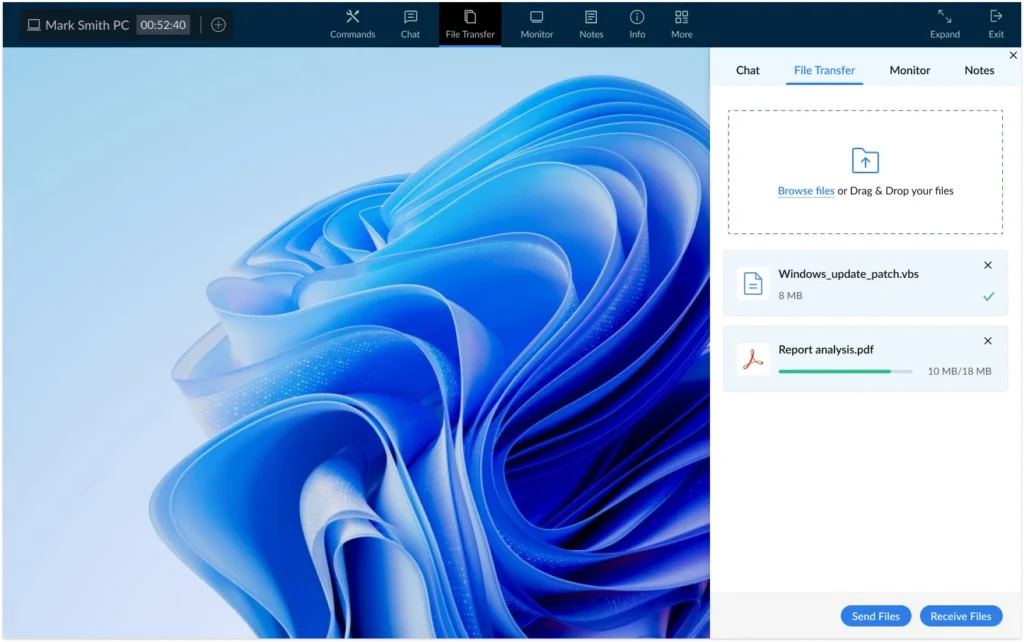
Benefits of Unattended Remote Access
Unattended remote access helps organizations improve operational efficiency while reducing the need for on-site support visits.
Key benefits include:
Faster IT Support
Technicians can immediately connect to devices and resolve issues without waiting for users to initiate or approve a session.
Reduced Downtime
Problems can be diagnosed and fixed quickly, minimizing disruptions to employees and business operations.
Centralized Device Management
IT teams can manage multiple devices from a single console regardless of their physical location.
Lower Support Costs
Remote troubleshooting significantly reduces travel expenses and the time required to provide technical support.
After-Hours Maintenance
Administrators can perform software updates, system maintenance, and troubleshooting activities outside business hours without interrupting end users.
Enhanced Productivity
Remote employees receive faster support, allowing them to remain productive and focused on their work.
How Unattended Remote Access Works
Unattended remote access relies on a secure software agent installed on the target device.
Step 1: Install the Remote Access Agent
A lightweight Zecurit agent is deployed to the endpoint device. The agent establishes a secure connection between the device and the Zecurit platform.
Step 2: Register the Device
After installation, the device is enrolled and becomes visible within the Zecurit management console.
Administrators can view device details, monitor status, and organize devices into groups for easier management.
Step 3: Authenticate the User
Before initiating a session, the platform verifies the identity of the administrator and validates access permissions.
Security controls such as role-based access control and multi-factor authentication help prevent unauthorized access.
Step 4: Establish a Secure Connection
Once authentication is complete, the administrator can start a remote session and interact with the device as if sitting directly in front of it.
The connection is protected using encrypted communication channels to safeguard sensitive information.
Step 5: Perform Remote Management Tasks
During a session, administrators can:
- Troubleshoot technical issues
- Install software
- Configure settings
- Access files
- Restart devices
- Perform maintenance activities
- Monitor system health
All activities can be recorded and audited to maintain security and compliance.
Attended vs Unattended Remote Access
Remote access solutions generally support two connection methods: attended remote access and unattended remote access.
| Feature | Attended Remote Access | Unattended Remote Access |
|---|---|---|
| User presence required | Yes | No |
| Session approval required | Yes | Typically No |
| Best for remote support | Yes | Limited |
| Best for IT administration | Limited | Yes |
| Supports after-hours maintenance | No | Yes |
| Continuous device access | No | Yes |
| Suitable for server management | No | Yes |
When to Use Attended Remote Access
Attended remote access is ideal when:
- Supporting customers
- Assisting employees in real time
- Conducting training sessions
- Resolving user-reported issues
When to Use Unattended Remote Access
Unattended remote access is recommended for:
- Managing company-owned devices
- Supporting remote employees
- Server administration
- Device maintenance
- Software deployment
- Endpoint management
- Scheduled maintenance activities
Most organizations use both attended and unattended remote access depending on their operational requirements.
Common Unattended Remote Access Use Cases
Remote IT Support
Help desk teams can remotely diagnose and resolve issues without requiring employees to visit the IT department.
Work-from-Home Support
IT administrators can support remote employees regardless of their location.
Server Administration
Administrators can securely access and maintain servers located in branch offices, data centers, or cloud environments.
Software Deployment
Applications, updates, and configuration changes can be deployed remotely to managed devices.
Device Maintenance
Routine maintenance activities such as software updates, troubleshooting, and performance optimization can be performed remotely.
Endpoint Management
Organizations can integrate unattended remote access into their endpoint management strategy to simplify device administration and support.
Learn more about endpoint management:
https://zecurit.com/endpoint-management/
Security Considerations
According to the National Institute of Standards and Technology (NIST), organizations should implement strong authentication, encryption, and access controls to secure remote access connections and protect sensitive systems and data.
Because unattended remote access provides direct access to business-critical devices, security should be a top priority.
Zecurit recommends implementing the following security measures:
Strong Authentication
Require secure passwords and multi-factor authentication for administrator accounts.
Role-Based Access Control
Grant access based on job responsibilities and the principle of least privilege.
Encrypted Connections
Ensure all remote sessions use encrypted communication channels.
Audit Logging
Maintain detailed records of remote sessions and administrative activities.
Session Monitoring
Monitor remote access activity to detect unauthorized or suspicious behavior.
Device Access Controls
Limit access to approved users and authorized devices.
Getting Started with Zecurit Unattended Remote Access
Getting started with Zecurit Unattended Remote Access is simple:
- Create your Zecurit account.
- Install the Zecurit agent on target devices.
- Enroll and organize devices within the console.
- Assign user permissions and access policies.
- Start secure remote sessions from anywhere.
Zecurit provides secure and reliable unattended remote access for IT administrators, support teams, managed service providers, and organizations of all sizes.
Related Resources
Explore additional remote access solutions and features:
- Remote Access Software: https://zecurit.com/remote-access/
- Remote Support Software: https://zecurit.com/remote-support/
- Wake-on-LAN: https://zecurit.com/wake-on-lan/
- Remote Shutdown: https://zecurit.com/remote-shutdown/
- Endpoint Management: https://zecurit.com/endpoint-management/
Next Steps
After understanding the fundamentals of unattended remote access, continue with the following articles:
- Viewing Managed Devices
- Understanding Device Status
- Organizing Devices into Groups
- Starting an Unattended Remote Session
- Security and Permissions
- Wake-on-LAN
- Remote Shutdown