
Zecurit’s remote command prompt gives IT professionals a direct, encrypted shell pipeline to any Windows, Mac, or Linux endpoint, right from the web console. No disruptions. No RDP. No waiting.
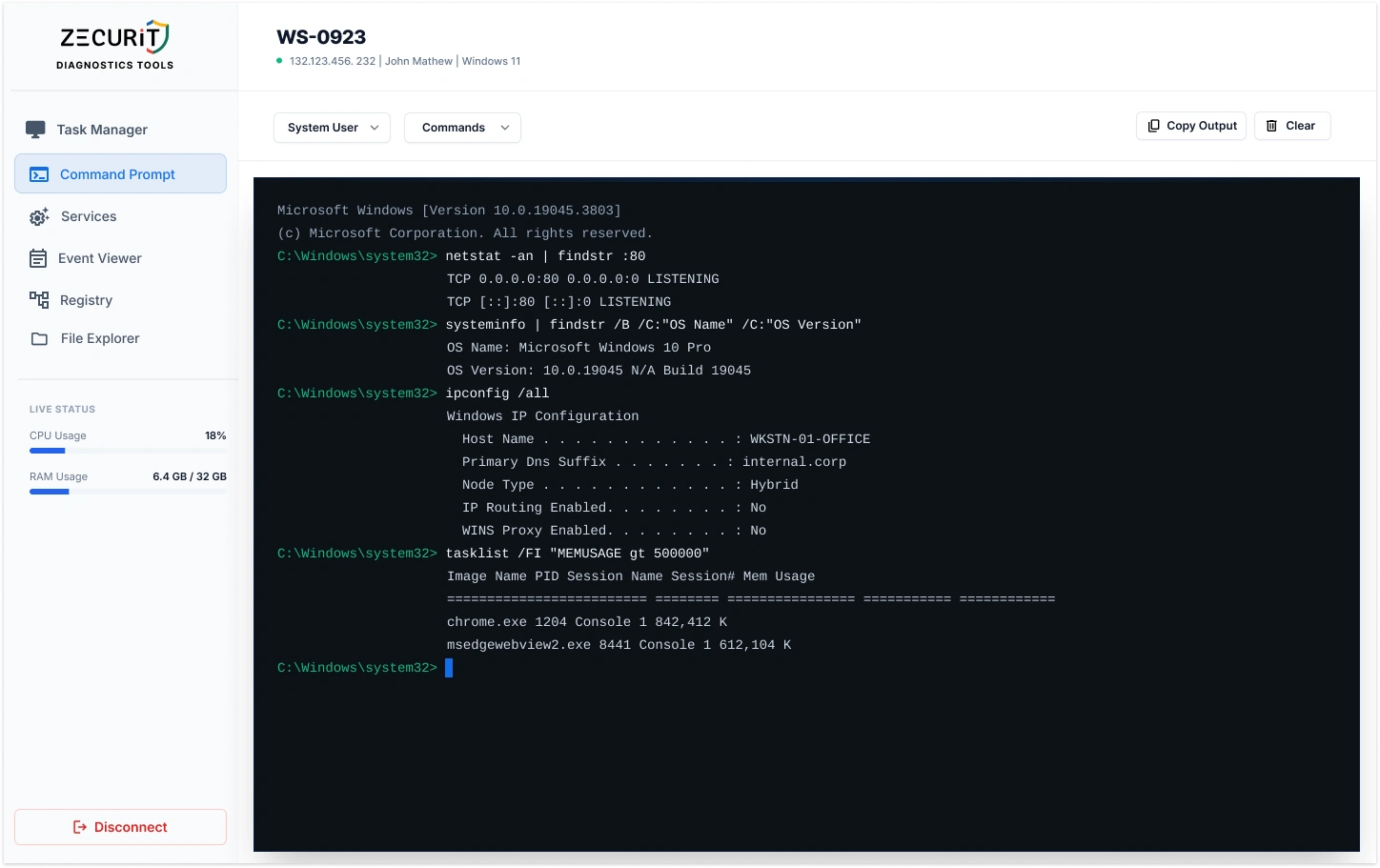
A remote command prompt is a secure, web-based CLI that opens a direct pipeline to the shell of a remote machine, without taking over the user's mouse, keyboard, or display.
Zecurit connects to CMD or PowerShell on Windows and Bash on macOS and Linux. Every session is encrypted with SSL/TLS and logged automatically in your audit trail.
Think of it as SSH without the firewall headaches, port forwarding, or VPN dependencies. If the endpoint has internet access, you can reach it.
Every command you need to run remotely, covered. No user interaction required.
Pull complete system state, network configuration, and process lists without triggering a single on-screen event. Diagnose first, fix faster.
C:\> systeminfo | findstr /B /C:"OS Name"
OS Name: Microsoft Windows 10 Pro
Restart hung services or kill unresponsive processes in seconds. No scheduling, no user involvement, no waiting for a maintenance window.
C:\> net stop "Print Spooler"
C:\> net start "Print Spooler"
Trace routes, ping servers, and inspect open ports from the perspective of the remote endpoint itself. Isolate connectivity issues that only exist on that machine.
C:\> tracert 8.8.8.8
C:\> netstat -an | findstr :443
Modify system configurations, apply registry fixes, or update environment variables via command line. Scriptable, fast, and fully audited.
C:\> reg add "HKLM\Software\..."
    /v DisableAccess /t REG_DWORD /d 0
Choose the execution context before you run a command. Switch between System User, a named Admin account, or the currently logged-in user to match exactly the privilege level the task requires.
Stop retyping the same commands on every session. Save your most-used commands as templates and fire them instantly from a searchable library, no typing required.
The remote command prompt is essential for endpoints with no local user session at all.
Manage Windows and Linux servers with no active user session. Run diagnostics and apply fixes at any hour.
Troubleshoot locked-down endpoints where a full desktop session would be disruptive or impossible.
Execute remediation scripts at 2 AM without scheduling a user session or calling anyone.
Trigger script execution as part of an alert-response workflow, no human in the loop required.
The commands your team runs most, ready to paste into the Zecurit remote cmd console.
Shell access to remote machines is serious capability. Zecurit treats it that way.
Access to the remote command prompt requires Multi-Factor Authentication. Unauthorized users cannot open a shell session even with a valid password. No exceptions.
Every command and every line of output is encrypted end-to-end. No plaintext exposure of commands, credentials that may appear in output, or system data.
Every command is logged with operator identity, target machine, timestamp, and output. A complete, immutable record for compliance, governance, and post-incident review.
No. Commands executed through the Zecurit remote command prompt run under a system-level process context, not within the user's active desktop session. No CMD window, no PowerShell window, and no visual indicator of any kind appears on the end user's screen.
Yes. Zecurit supports both interactive command execution and full script deployment. You can paste or upload a multi-line PowerShell or Bash script, execute it against one or multiple endpoints, and receive the complete output in your console. For advanced automation, see Zecurit's remote script execution feature.
Yes. Zecurit uses an outbound agent-based architecture. The lightweight Zecurit agent installed on the endpoint initiates an outbound connection to the Zecurit cloud infrastructure. This means no inbound firewall rules, no VPN dependency, and no need to open ports on the remote machine. If the endpoint has internet access, it can be reached through Zecurit.
Functionally similar in concept, but architecturally different. SSH requires open network ports and firewall rules. Zecurit's remote command prompt works through its secure cloud relay, requiring no SSH configuration, no static IPs, and no open inbound ports. It is a significantly simpler, more secure deployment model for most enterprise environments.
Join thousands of IT professionals using Zecurit's remote command prompt to diagnose and resolve issues silently, securely, and in real time.