
Chrome Remote Desktop is a personal tool. IT teams need a Chrome Remote Desktop alternative for business that offers unattended access, MFA enforcement, session audit logging, encrypted file transfer, patch management, and full endpoint management. Zecurit delivers all of it in one platform. No Google account required. No Chrome browser dependency.
Chrome Remote Desktop was built as a free personal utility, not a business remote support tool. When IT teams try to use it at scale, they quickly run into walls that cost them time, security, and compliance standing. TechRadar notes that Chrome Remote Desktop is not suitable for larger enterprises requiring detailed administrative controls and enhanced security protocols. Google’s own documentation acknowledges that in managed Chrome environments, users may be unable to install or run Chrome Remote Desktop at all.
Every user and technician must be signed into a Google account to use Chrome Remote Desktop. This creates friction in enterprise environments where Google Workspace is not the identity provider, and it means access is tied to personal accounts rather than your IT systems. Gartner defines IAM as requiring organisationally controlled identity systems, not consumer account dependencies.
While Chrome Remote Desktop does support a form of unattended access, it requires each machine to be configured manually through a personal Google account. There is no central console, no bulk enrollment, and no way to manage access policies across dozens or hundreds of endpoints from one place. See how Zecurit handles true unattended access.
CRD gives you a screen and a cursor. That is it. There is no remote task manager to kill rogue processes, no remote event viewer to diagnose errors, no registry editor, and no service manager. IT tasks that should take seconds turn into multi-step remote desktop sessions.
Chrome Remote Desktop has no concept of patch management, software deployment, configuration policies, or endpoint monitoring. IT teams using CRD have to rely on entirely separate tools for every management task beyond screen sharing.
CRD does not provide session audit logs, access history, or any compliance reporting. For teams in regulated industries, this disqualifies it entirely. HIPAA Security Rule requirements for access control and audit controls cannot be met by a tool with no centralised session logging. Zecurit logs every session and action with user identity and timestamp on all plans.
As the name implies, Chrome Remote Desktop requires the Chrome browser or a Chrome OS device to function properly. Organisations standardised on other browsers, or those restricting browser installations on managed endpoints, face an immediate compatibility problem.
Looking for a free Chrome Remote Desktop alternative that works without a Google account? See exactly how Zecurit compares across every capability IT teams rely on. A detailed side-by-side for IT administrators and MSPs evaluating a Chrome Remote Desktop alternative in 2026.
Zecurit replaces CRD and half a dozen other tools your IT team is currently stitching together.
Connect to any managed Windows device from any browser with no Google account, no Chrome extension, and no end-user Google sign-in required. Technicians log into Zecurit with their own corporate credentials and connect in one click.
Enroll hundreds of devices via Group Policy or silent installer, and access every one of them 24/7 without any user interaction. Unlike CRD's manual per-account setup, Zecurit's central console gives you instant access to your entire device fleet.
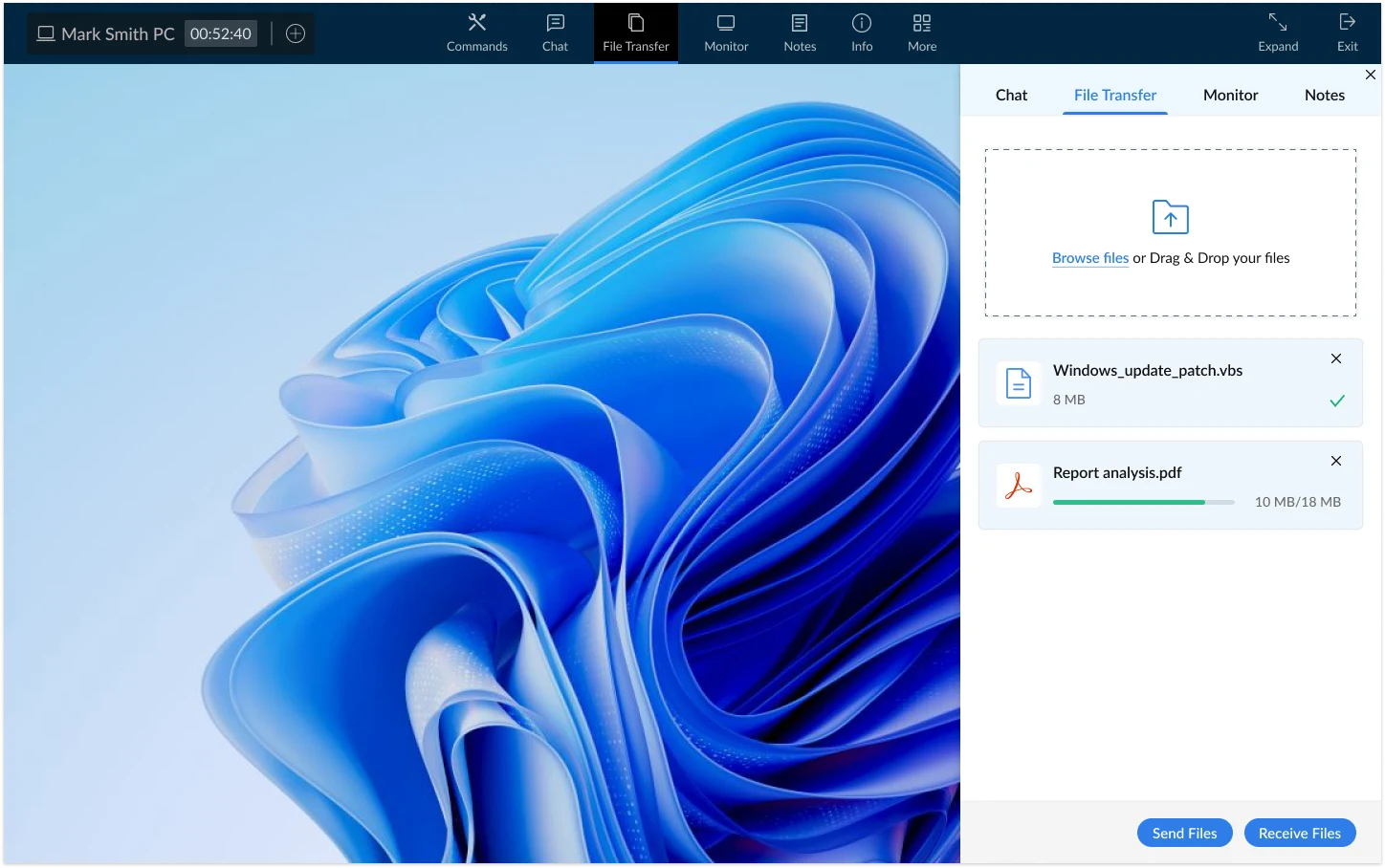
Browse, copy, move, and delete files on any remote machine without opening a full desktop session. Encrypted file transfers between local and remote machines are drag-and-drop simple. CRD offers none of this natively.
Kill processes with the remote task manager, manage Windows services with the remote service manager, and edit registry entries with the remote registry editor, all directly from the web console.
Diagnose crashes, security events, and system errors on remote machines using the built-in remote event viewer without pulling up a full desktop session or interrupting the end user's work.
Run PowerShell or Command Prompt directly on any enrolled endpoint from your browser. Automate fixes, execute scripts on demand, and handle issues that do not require a full visual desktop. Learn more about remote command prompt access.
Schedule, approve, and deploy Windows OS and third-party application patches across your entire device fleet from the same dashboard you use for remote access. No separate patching tool required. Explore Zecurit patch management and understand why patch management matters.
Push software packages silently across hundreds of endpoints with full pre and post-install configuration, scheduling, and deployment policies. Bulk software deployment, silent installation, and zero-touch deployment are all supported.
Zecurit goes further than any remote access tool with a full IT asset management layer. Track software inventory, hardware inventory, software licenses, and asset lifecycle from the same unified platform.
Chrome Remote Desktop works fine for accessing your home PC from your laptop. These are the teams that need more.
CRD delegates all security to Google's infrastructure and account model. Zecurit gives your IT team direct security controls.
Most IT teams complete the full transition from Chrome Remote Desktop to Zecurit in less than a day. 1
For personal use, Chrome Remote Desktop is adequate. For IT teams supporting multiple users and devices, Zecurit is categorically better. It offers a central device console, bulk enrollment, in-session tools like the remote task manager and remote event viewer, audit logging, role-based access, and a full endpoint management stack. CRD provides none of these.
Yes. Zecurit's web console works in any modern browser including Firefox, Edge, Safari, and Chrome. There are no browser extensions to install for technicians, and end users do not need to have any particular browser installed for the Zecurit agent to function.
TeamViewer and AnyDesk are remote access tools focused on screen sharing, with endpoint management features sold as expensive add-ons. Zecurit includes remote access and endpoint management in a single agent and subscription. See our full TeamViewer alternative comparison and the AnyDesk alternatives guide for direct breakdowns.
Yes. Zecurit's unified platform combines remote access with patch management, software deployment, endpoint monitoring, and IT asset management. Most teams replace three or four separate tools with a single Zecurit subscription.
Join IT teams and MSPs who made the switch to Zecurit and gained unattended access, in-session IT tools, patch management, and full endpoint visibility in a single platform.