
Manage every Windows service on any remote endpoint from your browser. No RDP. No user interruption. No desk visit. Just a live service list and one-click control.
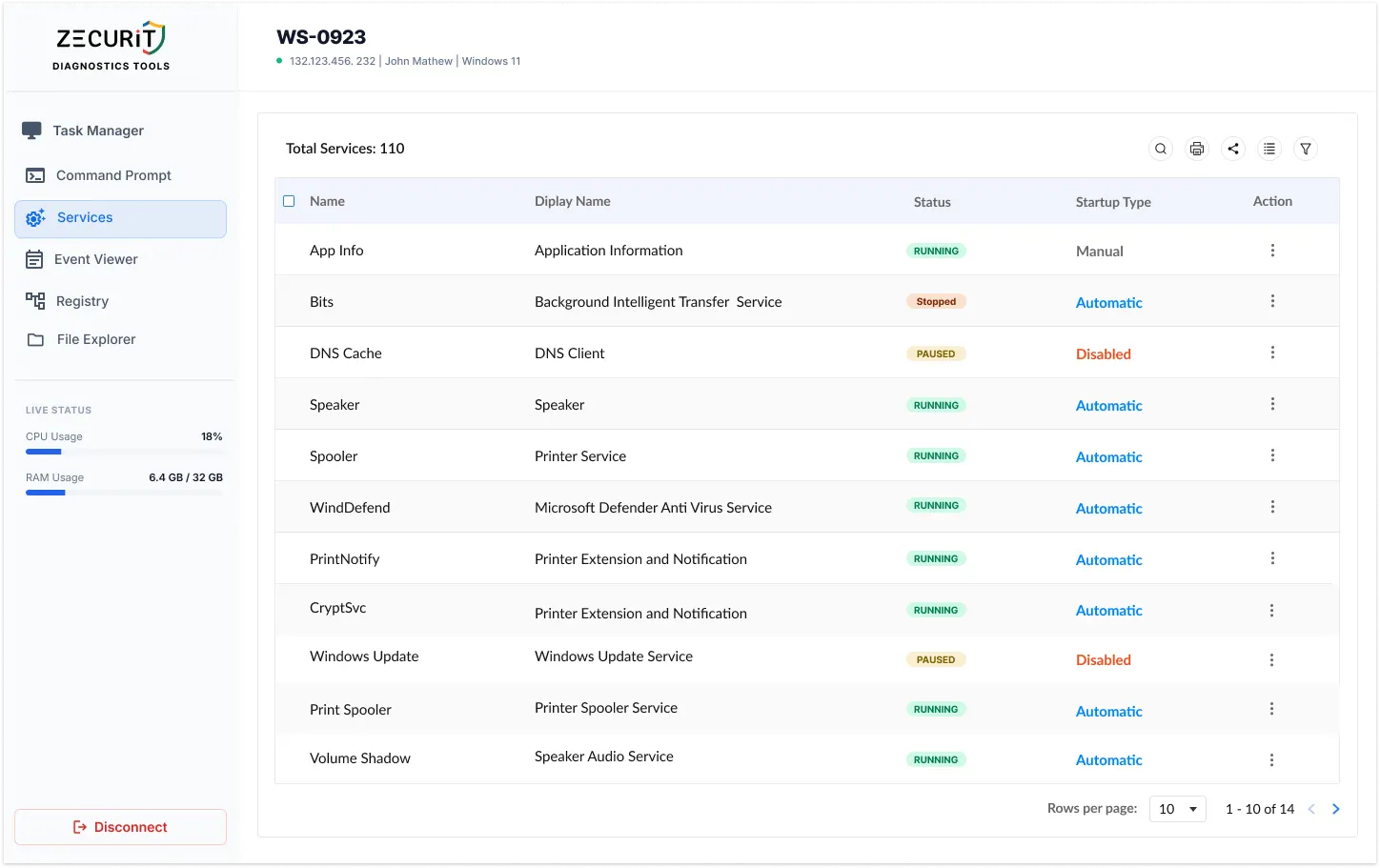
From print failures to ransomware recovery, remote service management handles the most common and most critical helpdesk scenarios.
The most common helpdesk fix. Open Services, stop the spooler, clear the queue via Command Prompt, restart it. Printer working before the user refreshes their ticket.
Most common helpdesk fix
A stopped antivirus or EDR leaves the endpoint fully exposed. Identify it in the list, re-enable it, set startup type to Automatic, and restart it. No local access needed.
Security compliance critical
Database connections, license servers, API backends. When these crash, restart the specific service in isolation without a full system reboot or any user impact.
No reboot required
Kill malicious services persisting as Windows services. Restart stopped backup agents and Volume Shadow Copy services to restore recovery options during an incident.
Incident response workflow
Restarting handles today's ticket. Changing the Startup Type closes the recurring one.
Starts when Windows boots. Use for mission-critical services that must always be running.
Starts after the core boot sequence completes. Reduces contention and speeds up time to usable desktop.
Starts only when triggered by an app or user. For on-demand services that do not need to run constantly.
Cannot start even if triggered. Use to permanently block a service without uninstalling its software.
One requires a desk visit. The other requires only a browser.
Shell access to remote machines is serious capability. Zecurit treats it that way.
Zecurit executes all service management commands through the Local System Account context, the highest privilege level on a Windows machine. It ensures you can manage services that would fail under a standard admin account, including security software that protects itself from lower-privilege processes.
Every action in the Zecurit Services tab is recorded with administrator identity, exact action type, target service name, target endpoint, and a precise timestamp. An immutable record for compliance reporting, change management documentation, and post-incident investigation. Per-technician accountability for MSPs.
No. Service management actions executed through the Zecurit console run under the Local System Account context in the background. Windows does not display any notification or on-screen indicator to the logged-in user when a service is started, stopped, or restarted through this method. The only visible effect the user experiences is the outcome, such as a printer starting to work again or an application returning to a functional state.
Yes. Because Zecurit operates through the endpoint agent rather than the user's desktop session, it works equally well on machines that are locked, logged out, or have no active user session at all. This makes it essential for managing headless servers, kiosks, and unattended workstations that cannot be accessed through traditional remote desktop methods.
Service commands executed through Zecurit run under the Local System Account context, which has the highest privilege level on a Windows machine. Most endpoint security software that restricts service management does so at the user-mode level. Local System execution bypasses these restrictions in most cases, though some hardened security products with kernel-level self-protection may require additional configuration.
Yes. The Zecurit Services tab includes a search and filter function that allows you to locate any service by its display name or its key name (the short identifier used by the Windows Service Control Manager). This is essential when working with long service lists on servers that may have hundreds of installed services.
Stop RDPing into machines to restart a single service. Stop asking users to do it themselves. Resolve service issues silently, securely, and from anywhere.