
A practical guide for IT Managers, System Administrators, and MSPs who need reliable, secure access to every device in their environment.
Remote work, distributed teams, and 24/7 infrastructure demands have made one thing clear: physical presence is no longer a prerequisite for IT management. Remote access software is the technology that makes that possible.
This guide explains what remote access software is, how it works, what features matter most, and how to choose the right solution for your organization.
Remote access software is a technology solution that enables IT professionals, support teams, and system administrators to connect to and control computers, servers, and devices from any location.
Also known as remote desktop software or remote support software, these tools eliminate the need for physical presence. Organizations use them to provide efficient technical support, perform system maintenance, and manage distributed IT infrastructure without sending a technician on-site.
In practical terms, it means a system administrator in one city can troubleshoot a server in another, a help desk technician can resolve a user's issue without walking across the office, and an MSP can manage hundreds of client endpoints from a single console.
Modern remote access solutions operate through a secure client-server architecture.
The target device runs a lightweight agent or client application installed by the IT team. Technicians then use a management console or control application to establish an encrypted connection to that device. Once connected, the technician can view the remote desktop in real time, operate applications, transfer files, run scripts, and perform administrative tasks exactly as if they were sitting in front of the physical machine.
The connection is routed through a secure cloud relay, which means no inbound firewall ports need to be opened on the remote device. The agent reaches out, the connection is established, and the session begins, all without exposing the device to the public internet.
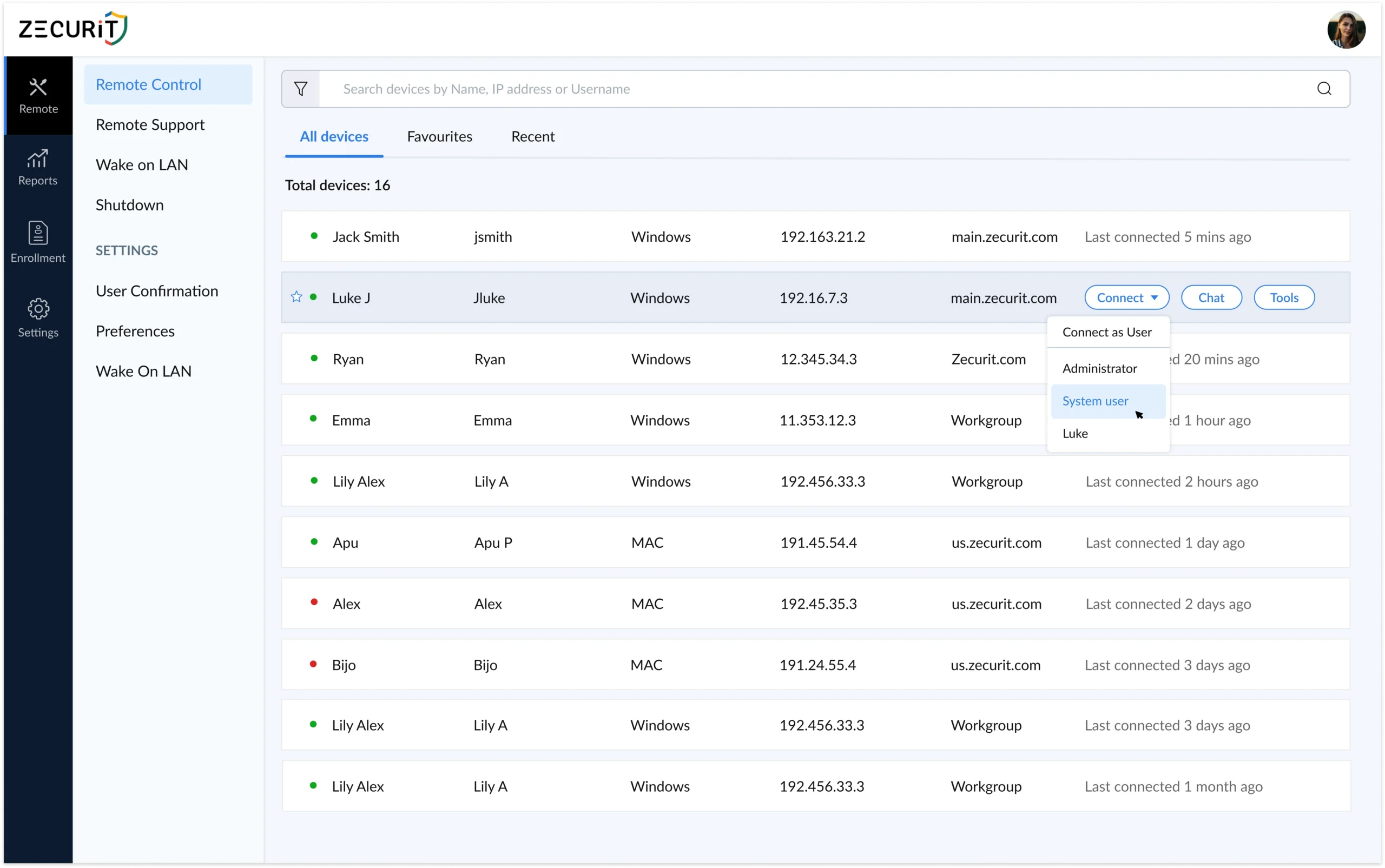
Advanced platforms like Zecurit extend this further with features like multi-monitor support, session recording, clipboard synchronization, remote reboot, and Wake-on-LAN, giving IT teams complete control regardless of the device's physical state or location.
These three terms are often used interchangeably, but they have distinct meanings in the IT industry. Understanding the difference helps you evaluate tools more accurately.
Remote Access Software is the broad category. It encompasses any tool that enables connectivity to a remote computer or network, including both graphical desktop access and command-line or file-level access.
Remote Desktop Software refers specifically to solutions that provide full graphical access to a remote computer's desktop environment. The technician sees and controls the screen exactly as the local user would. This is the most common form of remote access for IT support and administration.
Remote Support Software is optimized for help desk scenarios. It typically includes quick-connection capabilities, session management tools, chat features, and customer-facing interfaces designed for guided troubleshooting with an end user present.
Remote Desktop Sharing describes collaborative scenarios where multiple users view and interact with the same screen simultaneously, commonly used for training, demonstrations, or escalated support.
Zecurit Remote Access combines all four capabilities into a single platform, giving IT teams the flexibility to handle unattended access, attended support sessions, collaborative desktop sharing, and enterprise system administration from one unified console.
Organizations that implement remote access software see measurable improvements across their IT operations.
Dramatically Reduced Response Times IT teams resolve issues in minutes rather than hours. Eliminating travel time and the need to coordinate physical access means technicians can respond to incidents the moment they occur, regardless of where the affected device is located.
Significant Cost Savings Reducing on-site visits cuts travel expenses and technician time. A single technician using remote access software can support far more endpoints than one who must be physically present. For MSPs, that directly impacts profitability per client.
24/7 Availability With unattended remote access, devices are accessible around the clock. Maintenance windows, patch deployments, and incident responses are no longer constrained by business hours or end-user availability.
Enhanced Security and Compliance Centralizing access through a single platform makes it easier to enforce security policies, maintain audit logs, and control who can access which devices. This is essential for organizations operating under compliance frameworks such as HIPAA, SOC 2, or GDPR.
Better End-User Experience Faster problem resolution means less downtime and frustration for end users. Support feels immediate rather than bureaucratic, which improves satisfaction across the organization.
Business Continuity Distributed teams and remote workers can access office systems securely from anywhere. IT operations continue uninterrupted regardless of physical office access.
Not all remote access tools are built for the same audience. When evaluating options for an enterprise or professional IT environment, prioritize these capabilities.
Unattended Remote Access The ability to connect to a device without requiring the end user to be present. This is essential for server management, after-hours maintenance, and managing endpoints across time zones. The agent is installed once, and the device is permanently accessible from that point forward.
Cross-Platform Support Your IT environment is unlikely to be a single operating system. Look for a solution that provides full support for Windows Remote Desktop environments, Mac remote access, and Linux Remote Desktop access from one unified console.
End-to-End Encryption All session data should be encrypted in transit using industry-standard protocols such as AES-256 and TLS. This prevents interception and protects sensitive data during remote sessions.
Multi-Factor Authentication (MFA) Credential-based attacks are common. MFA ensures that even if a technician's password is compromised, no unauthorized session can be initiated without the second factor.
Session History and Audit Logs Every remote session should be automatically logged with timestamps, technician identity, and actions performed. This is non-negotiable for compliance-driven industries and supports internal accountability.
File Transfer Technicians frequently need to move files between their local machine and the remote device during a support session. Secure, encrypted file transfer should be built into the platform.
Remote Reboot and Reconnect The ability to restart a remote device and automatically reconnect after reboot is essential for applying updates, resolving system-level issues, and recovering from crashes without losing the session.
Wake-on-LAN Power down devices to save energy during off-hours, then wake them remotely when access is needed. This is particularly useful for energy-conscious organizations managing large numbers of endpoints.
Role-Based Access Control (RBAC) Technicians should only have access to the devices relevant to their role. RBAC prevents over-provisioning and reduces the risk of lateral movement in the event of a compromised account.
Scalability The solution should handle your current endpoint count and grow with your organization without performance degradation or significant cost jumps.
Remote access software is not limited to a single role or industry. It serves a wide range of professionals and organizations.
IT Managers and System Administrators use it to manage servers, push updates, respond to incidents, and maintain infrastructure without being physically tied to a location.
Help Desk and Support Teams use it to resolve end-user issues quickly, reducing ticket resolution time and eliminating the need for desk-side visits.
Managed Service Providers (MSPs) use it to manage multiple client environments from a single console, enabling efficient service delivery across dozens or hundreds of client organizations simultaneously.
Remote Workers use it to securely access their office workstation or company resources from home or while travelling, without requiring a VPN.
DevOps and Development Teams use it for server access, environment configuration, and debugging across distributed infrastructure.
Selecting the right remote access software requires honest evaluation of your organization's specific needs. Work through these considerations before committing to a platform.
Team size and endpoint count. A solo IT administrator managing 20 devices has different needs than an MSP managing 5,000 endpoints across 50 clients. Choose a platform that scales appropriately.
Operating system coverage. Confirm the solution provides full support for every OS in your environment, including Windows, macOS, and Linux, not just partial or add-on support.
Security and compliance requirements. If your organization operates under HIPAA, SOC 2, PCI-DSS, or similar frameworks, verify that the platform provides session recording, audit logs, MFA, and encryption that satisfies those requirements.
Deployment options. Look for flexible agent deployment methods, including silent install, GPO, Intune, SCCM, and Azure AD integration, so you can roll out to your entire fleet without manual effort.
Vendor support and reliability. Remote access is critical infrastructure. Ensure the vendor provides responsive support, maintains strong uptime, and has a clear security disclosure policy.
Total cost of ownership. Factor in not just the subscription price but the time saved, on-site visits eliminated, and technicians freed up to handle higher-value work.
Implementing remote access software does not have to be a complex project. Modern platforms are designed for rapid deployment with minimal infrastructure requirements.
Most organizations can have technicians connecting to remote systems within minutes of signing up. The typical process looks like this: create your account, deploy the lightweight agent to your first group of devices using your preferred method, and begin connecting immediately through the management console.
Start with a small group of test devices to evaluate the platform against your real-world use cases. Train your support team on core features, validate that session logging and access controls meet your compliance requirements, and then expand the rollout to your full infrastructure.
With the right remote access software in place, improvements in support efficiency, incident response time, and end-user satisfaction follow quickly.
Ready to see how Zecurit Remote Access works in your environment? Start your free trial at zecurit.com/remote-access
A VPN creates an encrypted tunnel that connects a user's device to a private network, giving access to network resources. Remote access software goes further by providing direct graphical control of a specific remote device. Most modern remote access platforms, including Zecurit, do not require a VPN to operate securely.
Yes, when implemented correctly. Enterprise-grade remote access software uses end-to-end encryption, MFA, and role-based access controls to prevent unauthorized sessions. Every connection should be logged and auditable. The risk comes from using poorly configured or consumer-grade tools in professional environments.
Yes. Modern platforms route connections through a secure cloud relay, meaning the agent on the remote device initiates the outbound connection. No inbound ports need to be opened, and the device remains protected behind its existing firewall.
Unattended remote access allows a technician to connect to a device without anyone being present on the remote end. A lightweight agent is installed on the target device once, and from that point the device is permanently accessible without requiring end-user approval for each session. It is essential for server management, after-hours maintenance, and managing devices across time zones.
This depends on the platform and plan. Zecurit is designed to scale from small teams managing a handful of endpoints to MSPs and enterprise IT departments managing thousands of devices from a single console.